

XML technologies / ePUB / ePub für (In)Designer / Tools / E-Book editors
(Excerpt from “ePub für (In)Designer — Mit InDesign Schritt für Schritt zum E-Book” by Sascha Heck & Yves Apel)
To edit ePub afterward, first unzip it to access its files; see Unpacking an ePub. Then a simple text editor suffices, but dedicated editors are more convenient than Word or LibreOffice. Sigil, oXygen and BBEdit assist syntax and highlight code in color to maintain an overview.
Sigil
Sigil is a Google open-source project for creating and editing ePub on Mac, Windows and Linux. It sees archive contents without prior unpacking. Most book examples use Sigil. Continuous development may leave occasional bugs, so work on a copy and follow community discussions, such as Issues, and the developer blog. New versions appear regularly, so another may already exist when this book is published.
Sigil offers rendered ePub view, split code view as illustrated, or code only. Editing is comfortable: changes in CSS code display immediately. Built-in ePub validation is also useful; see Validating the ePub.
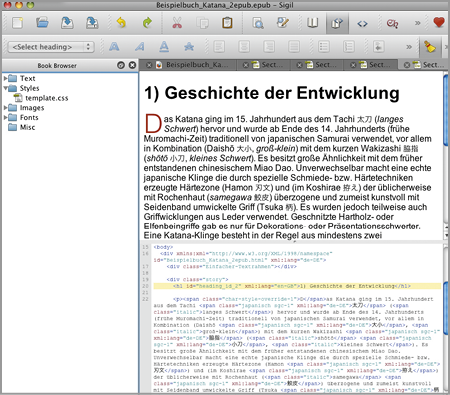
Figure: Sigil specializes in ePub and simplifies some tasks.
TextWrangler / TextMate / Notepad++
TextWrangler from Barebones is a popular Mac editor, the free little sibling of BBEdit, about $50. An alternative is TextMate from MacroMates. Windows offers Notepad++. TextWrangler also suits non-HTML/CSS XML files within ePub, such as toc.ncx or content.opf. We return to this, for example under Editing chapter divisions and navigation.
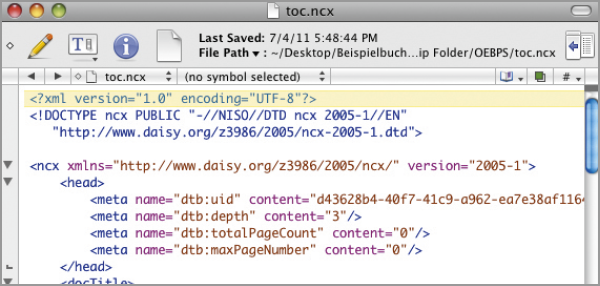
Figure: Word and LibreOffice are unsuitable ePub code editors.
TextWrangler, for example, is better suited.
oXygen XML Editor
oXygen XML Editor offers many features, syntax highlighting and code completion for common languages, and opens almost any file. Two features matter for ePub: native opening and saving without unpacking, and integrated validation with IDPF compliance. At about €300 including VAT it is relatively expensive. Its XML Developer, XML Author and XML Editor variants are compared in a website matrix. This professional tool suits users comfortable with code.
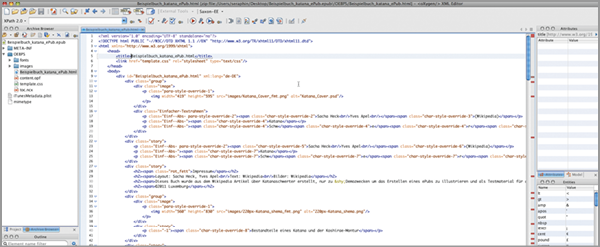
Figure: oXygen XML provides many professional coding features.
Dreamweaver
Dreamweaver users already have a good ePub authoring tool. Adobe’s professional web-design tool includes a good code editor, but ePub must first be unpacked; see Unpacking an ePub. CSS classes can be edited visually in dialogs or using code hints without knowing exact syntax. Define a layout element WYSIWYG and copy its CSS. Since ePub resembles a compressed website of (X)HTML and CSS, a web editor is natural.
Without Creative Suite Premium or Dreamweaver, the free KompoZer may be an alternative. [Editorial note: This free open-source HTML editor has since been discontinued.]
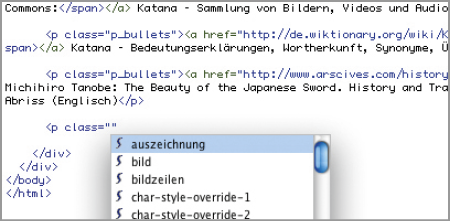
Figure: Dreamweaver code view provides completion for correct syntax.
Copyright © dpunkt.verlag GmbH 2012
You may print the online version for your private use.
Otherwise, this chapter from “ePub für (In)Designer” is subject to the same terms as the printed edition: the work and all its parts are protected by copyright. All rights reserved, including reproduction, translation, microfilming, and storage and processing in electronic systems.
dpunkt.verlag GmbH, Wieblinger Weg 17, 69123 Heidelberg, fon 06221-14830, fax 06221-148399, hallo(at)dpunkt.de