

XML technologies / SVG / Using text elements / Creating a text-based logo
(Excerpt from “Das Einsteigerseminar SVG — Webgrafiken mit XML” by Helma Spona)
The first example using different text elements creates this logo:
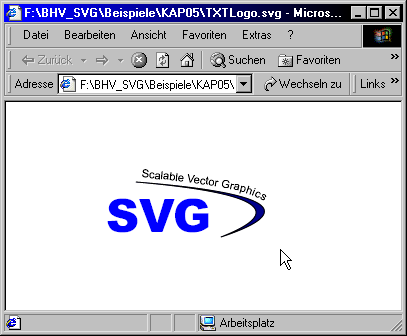
Figure: Target logo.
The text follows a path in a crescent shape.
Inserting the central text
Begin with the central text, inserted through the <text> tag as before. Format it with the style attribute and position it with the attributes x and y. The instruction:
<text x="100" y="130" style="font-family:'Arial Black';font-size:46;stroke:none;fill:rgb(0,0,255)">SVG</text>
creates blue Arial Black text at 46 pixels, positioned at 100/130.
Creating the path
Create the path for the second text with the <path> tag: two Bézier curves meeting at their ends. Fill the closed path with any color. The code is:
<path id="sichel" d="M130 80 Q333 96 215 135 Q315 96 130 80" style="stroke:rgb(0,0,0);stroke-width:1;fill:rgb(0,0,139)"/>
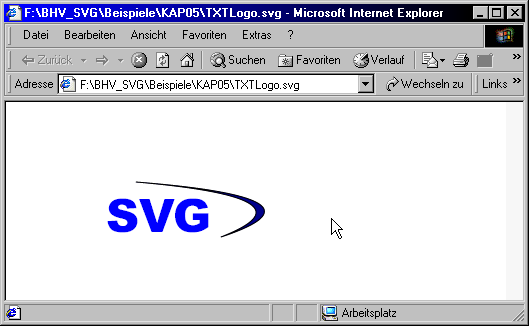
Figure: First intermediate logo result.
Note:
The path’s name, defined with the id attribute, matters: it tells the text which path to follow.
Making the second text follow the crescent
Create the second text with another <text> tag and format it at 11 pixels to avoid excessive length and poor wrapping at the sharp curve. The attributes x and y are unnecessary. Instead insert inside the <text> tag a <textPath> tag. Its attribute xlink:href references the element followed by the text. Supply the path’s name prefixed by #.
Note:
The attribute xlink:href comes from a different namespace, here the XLink namespace. SVG allows only external attributes specifically supported by the tag.
<text style="font-family:Arial;font-size:11;fill:darkblue">
  <textPath xlink:href="#sichel">Scalable Vector Graphics</textPath>
</text>
The text now follows the crescent, but sits directly on the path rather than slightly above it. Improve this with a few attributes and formatting settings.
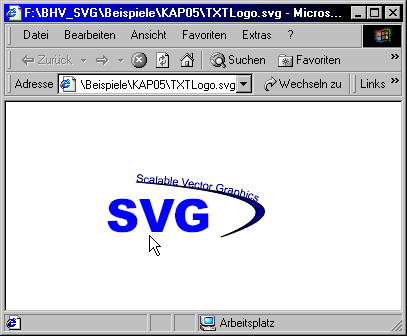
Figure: Second intermediate logo result.
Aligning text to the path
Formatting the <text> tag controls alignment to the baseline, here the path itself. In the style attribute of the <text> tag, add the formatting alignment-baseline:text-bottom;baseline-shift:5.
The declaration alignment-baseline:text-bottom aligns the text’s bottom edge to the baseline. The declaration baseline-shift:5 shifts the baseline up 5 pixels, creating a gap above the path.
Also shift the start a few pixels right so the text does not begin at the path’s start. Add to the tag textPath the attribute startOffset, whose value sets the text’s indentation from the path’s beginning.
<textPath xlink:href="#sichel" startOffset="5">
Copyright © verlag moderne industrie GmbH 2001
You may print the online version for your private use.
Otherwise, this chapter from “Das Einsteigerseminar SVG — Webgrafiken mit XML” is subject to the same conditions as the bound edition. The work, including all its parts, is protected by copyright. All rights reserved, including reproduction, translation, microfilming, and storage and processing in electronic systems.
verlag moderne industrie GmbH, Justus-von-Liebig-Straße 1, D-86899 Landsberg/Lech, fon ++49 (0) 81 91 / 125 – 0, leserservice(at)mi-verlag.de