

XML technologies / ePUB / ePub für (In)Designer / Validating the ePub file / EpubCheck locally
(Excerpt from “ePub für (In)Designer — Mit InDesign Schritt für Schritt zum E-Book” by Sascha Heck & Yves Apel)
EpubCheck also runs locally without Sigil or oXygen XML. Download and unpack EpubCheck to obtain a folder with several files. The important one is epubcheck-x.x.jar, where x.x is the version. Also install Java on your computer.
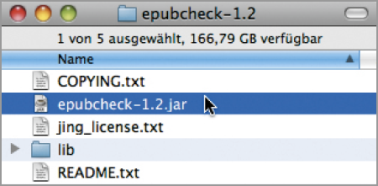
Figure: Opening epubcheck-x.x.jar.
Checking on Macintosh
Open Terminal, normally at Macintosh HD/Applications/Utilities/Terminal.app.
Type “java -jar ”, preserving spaces before and after -jar.
Drag epubcheck-x.x.jar, with your version number, into Terminal. Its path is copied.
Ensure a space follows epubcheck-x.x.jar in Terminal.
Drag the ePub into Terminal.

Figure: Dragging ePub into Terminal.
Press Enter.
Errors appear in Terminal. No error means the test passed.
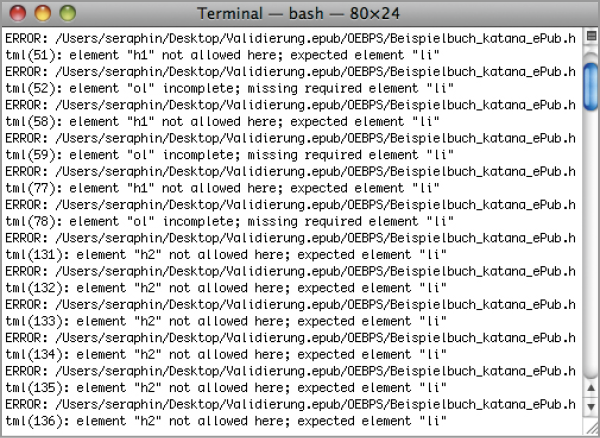
Figure: Validation result in Terminal.
Checking on Windows
Open Run … with Windows + R or the Start menu field Start → Search programs and files.
Enter cmd.exe in Search programs and files and press Enter.
Windows needs the Java installation path. With Windows 7 64-bit and Java 6 it is C:\Program Files (x86)\Java\jre6\bin. Prefix it with cd and a space: “cd C:\Program Files (x86)\Java\jre6\bin”, then press Enter.
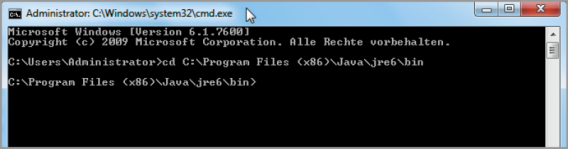
Figure: Specifying Java’s path.
Type “java -jar ”, preserving spaces before and after -jar.
Drag epubcheck-x.x.jar into the window to copy its path.
Ensure a space follows epubcheck-x.x.jar.
Drag the ePub into the window.
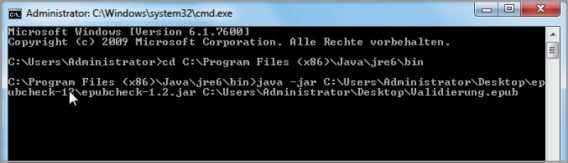
Figure: Dragging ePub into the window.
Press Enter.
Errors appear in the window; none means the test passed.
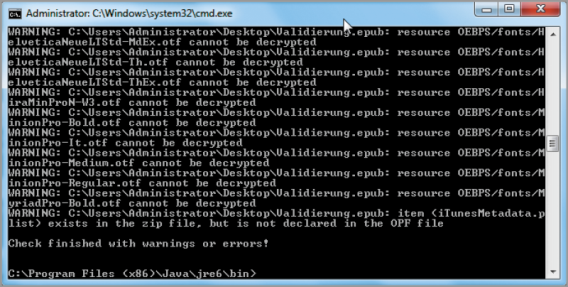
Figure: Validation result on Windows.
Error list
Through EpubCheck 1.1, a list of most frequently reported errors was maintained and explained. Version 1.2 improved many error messages and extended checks. Unfortunately no current list exists.
Copyright © dpunkt.verlag GmbH 2012
You may print the online version for your private use.
Otherwise, this chapter from “ePub für (In)Designer” is subject to the same terms as the printed edition: the work and all its parts are protected by copyright. All rights reserved, including reproduction, translation, microfilming, and storage and processing in electronic systems.
dpunkt.verlag GmbH, Wieblinger Weg 17, 69123 Heidelberg, fon 06221-14830, fax 06221-148399, hallo(at)dpunkt.de