

XML technologies / SVG / Using complex graphic elements and formatting / Creating lines, triangles and freehand objects / Creating a simple line as a path
(Excerpt from “Das Einsteigerseminar SVG — Webgrafiken mit XML” by Helma Spona)
Create paths with the <path> tag. The attribute d supplies path coordinates: any number of coordinate pairs, with additional parameters such as radii or angles for curves.
Each value or pair begins with a special command. The first example draws a simple horizontal line from 100/100 to 200/100, 100 pixels long.
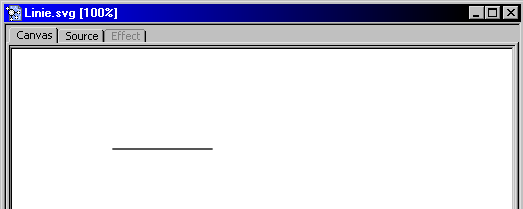
Figure: Listing result: a simple line as a path.
<?xml version="1.0" standalone="no"?>
...
<svg width="500" height="500">
  <path d="M100 100 L200 100" style="stroke:rgb(0,0,0)"/>
</svg>
The <path> tag, like <rect> and <circle>, has no closing tag and therefore ends with />. The attribute d contains the data, always beginning with the M command, short for Move, setting the starting point. After M, this point is specified by its X and Y coordinates. In the example, M100 100 therefore defines 100/100 as the starting point. From there, paths draw lines or curves. A line is created with the L instruction, followed by the endpoint’s X and Y coordinates, here 200/100. Further line commands are explained later.
Note:
Unlike the other elements used so far, the <path> tag requires the style attribute and a fill or stroke color to make the path visible. Without style, the path is invisible.
Copyright © verlag moderne industrie GmbH 2001
You may print the online version for your private use.
Otherwise, this chapter from “Das Einsteigerseminar SVG — Webgrafiken mit XML” is subject to the same conditions as the bound edition. The work, including all its parts, is protected by copyright. All rights reserved, including reproduction, translation, microfilming, and storage and processing in electronic systems.
verlag moderne industrie GmbH, Justus-von-Liebig-Straße 1, D-86899 Landsberg/Lech, fon ++49 (0) 81 91 / 125 – 0, leserservice(at)mi-verlag.de
back to top