

XML technologies / CSS / CSS Cookbook / Images / Automatically adding reflections to images
(Excerpt from “CSS Kochbuch” by Christopher Schmitt)
Problem
Add a reflection to an image-based heading.
Solution
Use JavaScript to create this effect.
Upload the script to your web server, then include it in the head of your page as shown here:
<script type="text/javascript" src="scripts/reflection.js"></script>Now insert the image to which the reflection should be added (see the next figure):
<img src="christinaleaf.png" alt="christina m. huggins" />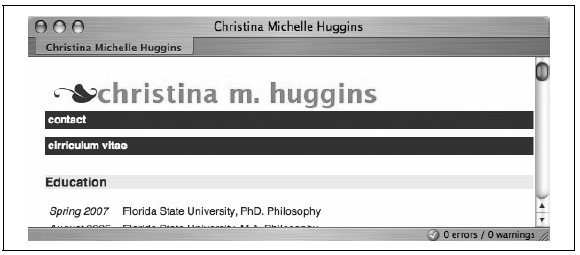
Figure: The heading image is displayed.
To activate the reflection (see the next figure), give the image’s tag img an attribute class with the value reflect:
<img src="christinaleaf.png" alt="christina m. huggins" class="reflect" />
Figure: The heading image’s reflection appears.
Discussion
As the page loads in the user’s browser, the JavaScript searches for image elements with the attribute class set to reflect. It creates an additional image containing the reflection from the original image.
When the script finds an element image matching these criteria, it copies and mirrors the image, then applies the default value 50% for the new reflection’s opacity and height.
Customization options
This script lets you adjust the reflection’s opacity and height.
To control reflection height, add a new value to the image’s class definition: rheightXX. Here, XX is a percentage of the original image height to show in the reflection (see the following figure):
<img src="christinaleaf.png" alt="christina m. huggins" class="reflect rheight99" />
Figure: The reflection is almost as tall as the original.
A larger percentage produces a taller reflection. The value rheight99 displays 99% of the original height in the reflection.
To control opacity, add a different value to the image’s class definition: ropacityXX. Here, XX is the reflection’s opacity (see the next figure):
<img src="christinaleaf.png" alt="christina m. huggins" class="reflect ropacity33" />A lower value makes the reflection more transparent. The value ropacity33 gives the reflection 33% of the original image’s opacity.

Figure: The reflection becomes more transparent.
For finer control, combine width and opacity settings, as shown in the following figure:
<img src="christinaleaf.png" alt="christina m. huggins" class="reflect rheight99 ropacity33" />
Figure: Custom height and opacity values.
Known browser issues
The reflection script works in Internet Explorer 5.5+ for Windows, Firefox 1.5+, Opera 9+ and Safari. Reflections of animated images work only in Internet Explorer for Windows, which, however, distorts scaled images.
Copyright of the German edition © 2007 by O’Reilly Verlag GmbH & Co. KG
You may print the online version for your private use.
Otherwise, this chapter from “CSS Kochbuch” is subject to the same conditions as the bound edition: the work, including all its parts, is protected by copyright. All rights reserved, including reproduction, translation, microfilming, and storage and processing in electronic systems.
O’Reilly Verlag GmbH & Co. KG, Balthasarstr. 81, 50670 Köln