

XML technologies / ePUB / ePub für (In)Designer / Video in ePub / Preparing for conversion
(Excerpt from “ePub für (In)Designer — Mit InDesign Schritt für Schritt zum E-Book” by Sascha Heck & Yves Apel)
Before converting video for an e-book, determine its original size and resolution. Open it in QuickTime X on Macintosh and press CMD + I to see key information.
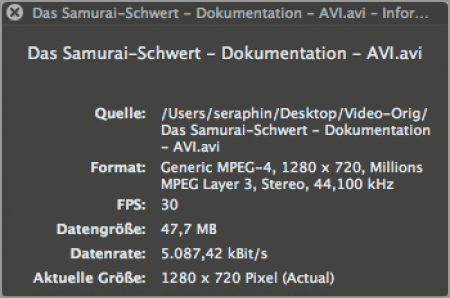
Figure: Open in QuickTime X and press CMD + I to see size and resolution.
Windows users select the file, right-click and open Properties, then the tab Details to view video properties.
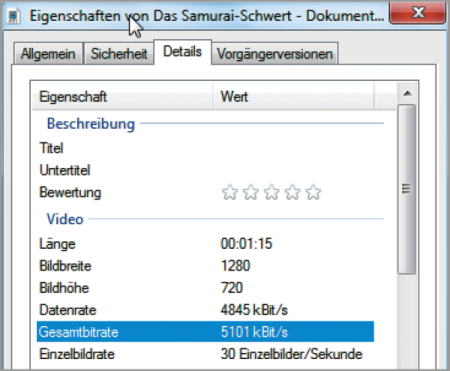
Figure: Windows file properties show size and resolution.
The video has a data rate of roughly 5,100 kbit/s and dimensions of 1280 × 720 pixels, widescreen.
Copyright © dpunkt.verlag GmbH 2012
You may print the online version for your private use.
Otherwise, this chapter from “ePub für (In)Designer” is subject to the same terms as the printed edition: the work and all its parts are protected by copyright. All rights reserved, including reproduction, translation, microfilming, and storage and processing in electronic systems.
dpunkt.verlag GmbH, Wieblinger Weg 17, 69123 Heidelberg, fon 06221-14830, fax 06221-148399, hallo(at)dpunkt.de
back to top