

Publications / Review: Word and XML
WordML and SmartDocuments
|
| Sample chapters |
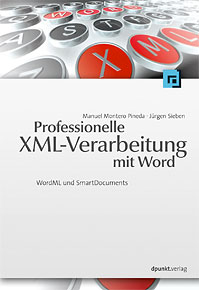
Authors: Manuel Montero Pineda and Jürgen Sieben
Contents
Word2003 offers many ways to use XML in word processing. This book shows how to benefit and explains step by step how to use Word’s new functionality to your advantage.
The book first provides a quick introduction to XML processing with Word, then explains the specific structure of WordML. The next section explains XSLT and the automatic generation of WordML from XML data. Example XSLT stylesheets illustrate conversion from XML to WordML and from Word documents to XML.
SmartDocuments are then discussed: a technology that offers contextual additional functions based on client-side XML. Professional developers can use Word as a front end to build SmartClient solutions. Possibilities and visions, as well as current implementation limits, are shown, and the new alternative VSTO 2005 is explained through a sample project.
The book addresses developers, prepress and data preparation specialists, and experienced Word professionals. Basic XML, VBA and/or .NET knowledge is required for SmartDocument and VSTO 2005 programming.
After reading, readers can generate XML from Word documents, display XML data in Word and develop complex assistance for Word users.
Target audience:
Technical writers
Developers
Publishers
Typesetting companies
Authors
Manuel Montero Pineda studied history, psychology and education in Heidelberg. After postgraduate computer science studies at FH Heidelberg, he worked as a consultant and developer for companies in technical documentation and prepress, later founding data2type GmbH (www.data2type.de). His work covers all relevant XML technologies in publishing.
Jürgen Sieben is managing director of ConDeS GmbH & Co. KG, which has developed database-backed medical applications since 1998. Using the Office suite as a front end is central to many of its projects. Jürgen Sieben also teaches database technologies and the .NET Framework.
Reviews
Amazon.de
Excellent introduction to the world of WordML, June 21, 2007
Review by: M. Hedler (HdM Stuttgart)
This book enables developers and XML enthusiasts to learn the basics of Microsoft Word’s XML-based document language in a very short time.
Besides a brief introduction to XSLT, the authors focus mainly on generating and converting WordML. Well-chosen examples guide readers from simple applications to more complex examples, with every development step described in detail.
In my view, a highly successful book on a demanding subject that no one has yet presented in such a practical form so well.
A specialist topic brilliantly handled!, June 20, 2007
Review by: Holger (Scharenstetten)
Someone certainly put a lot of effort into writing this book. I’m glad, because otherwise I would have had to write it myself.
Seriously, a very successful work!
Word’s new XML features are explained clearly and practically, their usefulness and limitations illustrated with examples. Everything is there: quick introduction, conversion and, of course, SmartDocuments through to VSTO 2005.
I know a little about this and, as I said, am very pleased and satisfied with the book!
Recommended for semi-professionals!
Entwickler Magazin
Review by: Thomas Meinike
Microsoft Office has supported XML since version 2003. Word can embed XML structures directly in documents, validate them against XML Schemas and even execute XSL transformations. Word documents can also be saved in a special XML format called WordML. The authors address the evident need to explain this format. Both provide services in XML-based publishing processes. Divided into fundamentals, applications and reference, the book starts with a brief introduction to Word 2003’s XML functionality, then introduces WordML concisely. It explains the basic structure and the elements and attributes used to mark up typical Word document components. The main focus is WordML processing. Using DocBook documents, they show how to convert established structures into WordML using XSL transformations. The necessary basics of XSLT and XPath are also provided, allowing readers to start creating stylesheets immediately. A practical example of authors and publishers working together on documents also covers the reverse path from WordML to other XML structures. The second half of the application section is devoted to SmartDocuments, which enable user interfaces for interacting with Word XML content. Programming with the Word object model can use .NET languages Visual Basic and C# or classic VB6. The concept, components and creation of a SmartDocument solution are described.
Conclusion: overall, the book provides a solid introduction to WordML and other Office XML processing technologies. Examples make the content practically reproducible (download at www.data2type.de/xml/word2003.html). Application developers receive almost 50 pages of reference material on WordML syntax, DocBook, XSLT and XPath.
Entwickler Magazin 3.2007
ZFA | Mediengestalter
Review by: Martin Schröer, April 2, 2007
XML data are now standard in professional typesetting. These structured texts are processed not only in specialist programs such as FrameMaker but increasingly in typesetting and word processing applications. XML-Verarbeitung mit Word shows how to process XML data in Microsoft Word.
The first of the book’s three parts covers how Word handles XML data and outputs them with formatting. It describes WordML and XSLT (eXtensible Stylesheet Language Transformations) in detail. XSLT transforms XML data into the desired format. Practical examples and realistic scenarios make the basic functions of the markup and transformation languages easy to understand. Element and attribute references for WordML, XSLT, XPath and DocBook in part three are particularly helpful. Each chapter ends with a short summary of key procedures and an outlook on further possibilities.
The second, application-focused part examines practical XML and Word workflows. It shows how to generate Word documents from XML and discusses programming strategies and their importance for Word’s future handling of XML.
Professionelle XML-Verarbeitung mit Word covers a fairly complex topic relevant to practitioners in typesetting companies and publishing houses today. It provides them with useful practical guidance.
media-mania
The XML format (eXtensible Markup Language) allows data to be structured and annotated so that multiple programs recognize and process them automatically. XML files can therefore be used easily by many programs, greatly simplifying exchange. XML is especially helpful in word processing, and common Office suites (OpenOffice, MS Office and others) naturally also use XML processing.
Word users now have a book to learn and use XML’s capabilities for their own text files. Manuel Montero Pineda and Jürgen Sieben present an excellent book, “Professonielle XML-Verarbeitung mit Word”, explaining XML’s subtleties and practical application. They show how to create and edit XML documents with Word 2003 and later. Another chapter covers Word’s own WordML format, its basic structure and elements. Advanced functions and access options follow, including common XSL functions. Information is condensed into 120 pages, often with short examples and explanations. The book clearly targets experienced users with some data processing and programming knowledge. Readers should at least know XML basics or will struggle with this first part. Part two is more application-oriented, covering stylesheet and SmartDocument development: documents that react “intelligently” to users and adapt step by step. Here XML shows its full strength; readers who have followed this far can apply what they learned in their own applications.
The book thus offers a quick, compact introduction to XML processing with Word. Readers with the necessary prior knowledge—typically technical writers, developers and typesetters—will quickly appreciate Montero Pineda and Sieben’s work.
Review by: Hagen Hoffmann