

XML technologies / CSS / Advanced websites with CSS / A simple CSS layout / Building the layout
(Excerpt from “CSS − Advanced websites with Cascading Stylesheets” by Rachel Andrew & Dan Shafer)
We now have some background on how CSS-positioned elements behave. Our first layout puts that knowledge into practice.
Create a new stylesheet and save it as styles.css. Link it to the previously created document Footbag-Freaks (index.html) (see Creating the document). Add these lines to the element <head> of the page Footbag-Freaks:
<head>
  <title>Footbag Freaks</title>
  <meta http-equiv="Content-Type" content="text/html; charset=iso-8859-1" />
  <link rel="stylesheet" type="text/css" href="styles.css" />
</head>
The first element we will style is the element body. The design includes a background image whose initial pattern gradually fades into solid blue. To recreate this, tile the background image and color the page blue so that image and page background blend together.
These rules choose a font family and size and set the page’s padding and margins—the space between the browser edge and page content—to 0.
body {
  margin: 0;
  padding: 0;
  background-color: #050845;
  color: white;
  background-image: url(img/bg.jpg);
  background-repeat: repeat-x;
  font: small Arial, Helvetica, Verdana, sans-serif;
}
Font size in Footbag Freaks
I assigned the property font-size in the element body the keyword small. As we develop the stylesheet, we will use percentage font sizes, sizing elements relative to small.
These rules tile the background across the page’s full width, as the following figure shows.
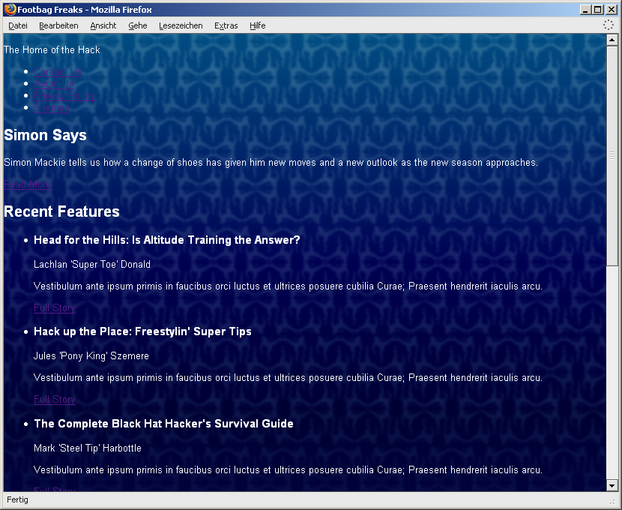
Figure: The background repeats across the page’s full width.
Our design places the content in an off-white box. This needs another element div containing all page content. Immediately after the opening tag <body>, insert the highlighted markup below:
<body>
  <div id="wrapper">
    <div id="header">
    <p>The Home of the Hack</p>
Remember to close this element div immediately before the document’s closing tag <body>, as follows:
      <p><a href="">more</a></p>
    </div> <!--sidebar -->
  </div> <!-- wrapper -->
</body>
Now add rules giving the box its off-white background. Also define a margin separating wrapper and the element body so the background image shows through.
#wrapper {
  background-color: #fdf8f2;
  color: black;
  margin: 30px 40px 30px 40px;
}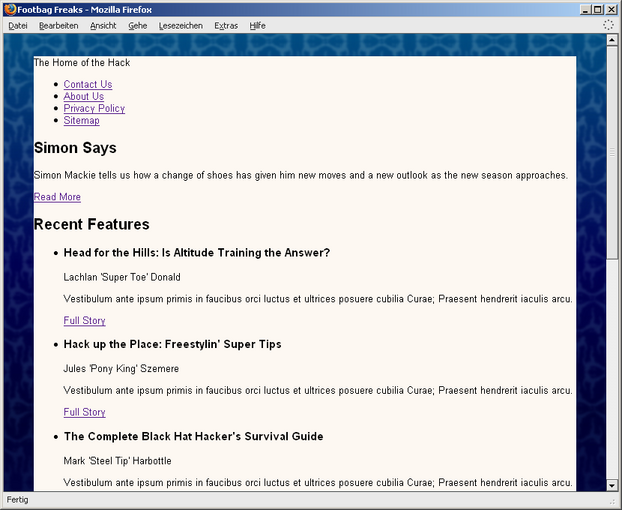
Figure: Rules applied to the div element wrapper.
The figure shows our result. The margin exposes the background image, but content inside wrapper touches the off-white area’s edge. Adding the property padding to our rule #wrapper creates some room, as in the next figure. Here is the code:
#wrapper {
  background-color: #fdf8f2;
  color: black;
  margin: 30px 40px 30px 40px;
  padding: 10px;
}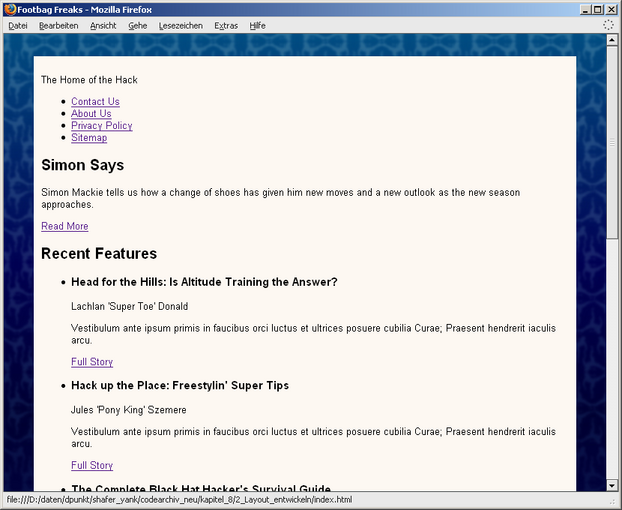
Figure: Creating space between box edges and content with padding.
Copyright © 2006 of the German translation, dpunkt.verlag GmbH
You may print the online version for your private use.
Otherwise, this chapter from “CSS − Anspruchsvolle Websites mit Cascading Stylesheets” is subject to the same conditions as the bound edition: the work, including all its parts, is protected by copyright. All rights reserved, including reproduction, translation, microfilming, and storage and processing in electronic systems.
dpunkt.verlag GmbH, Ringstraße 19, 69115 Heidelberg
back to top