

XML technologies / SVG / Adding hyperlinks and external files / Including external files / Using parts of an external SVG graphic
(Excerpt from “Das Einsteigerseminar SVG — Webgrafiken mit XML” by Helma Spona)
Certain SVG tags can reference parts of an SVG graphic for use in other SVG files. SVG provides the <use> tag for this, allowing elements defined with <svg>, <g>, <symbol> or basic SVG graphic elements such as <rect>, <line>, <circle> and so on. Any named element can thus serve as a template, creating a copy with <use>. Again, specify the address or element name with the xlink:href attribute.
Note:
SVG supports references to elements in other SVG files using absolute or relative paths. Adobe SVG Viewer, however, allows only elements in the current file; versions 1.0 and 2.0 do not yet support external references. The next example nevertheless shows how this should work.
<?xml version="1.0" standalone="no"?>
...
<svg width="430" height="330">
  <use x="20" y="20" xlink:href="symbolBttn.svg#bttn" />
</svg>
The preceding listing displays the element bttn from the file symbolBttn.svg by embedding it with the <use> tag. The element bttn must be defined as a <symbol>, <g> or <svg> tag. Test this with Batik 1.0, producing the following result.
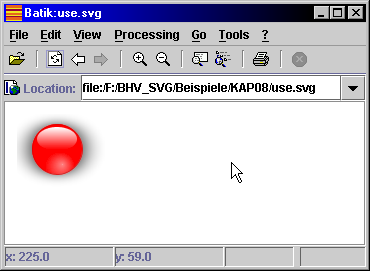
Figure: External SVG button symbol displayed in Batik.
Copyright © verlag moderne industrie GmbH 2001
You may print the online version for your private use.
Otherwise, this chapter from “Das Einsteigerseminar SVG — Webgrafiken mit XML” is subject to the same conditions as the bound edition. The work, including all its parts, is protected by copyright. All rights reserved, including reproduction, translation, microfilming, and storage and processing in electronic systems.
verlag moderne industrie GmbH, Justus-von-Liebig-Straße 1, D-86899 Landsberg/Lech, fon ++49 (0) 81 91 / 125 – 0, leserservice(at)mi-verlag.de
back to top