

XML technologies / Markdown in publishing / Text and document structure
Markdown distinguishes between block structures and inline markup. A paragraph or a quotation is a Block; emphasis or a code span lies within such a block. Blank lines, indentation and characters at the beginning of a line can therefore influence the structure. Anyone who only looks at the visible typeface misses an essential part of the syntax.
The first examples show the CommonMark core. This is followed by explicitly marked Pandoc extensions. The six heading levels are demonstrated as a language feature, not as the structure of this article. S02, S05
Example 01: Six possible heading levels
CommonMark
The number of hash marks determines the rank of the heading. There is a space between the characters and the text. A single # is therefore not simply an instruction for large font, but marks a first-level heading.
SOURCE
# Publication
## Chapter
### Section
#### Subsection
##### Detail
###### Smallest heading
RENDERED RESULT
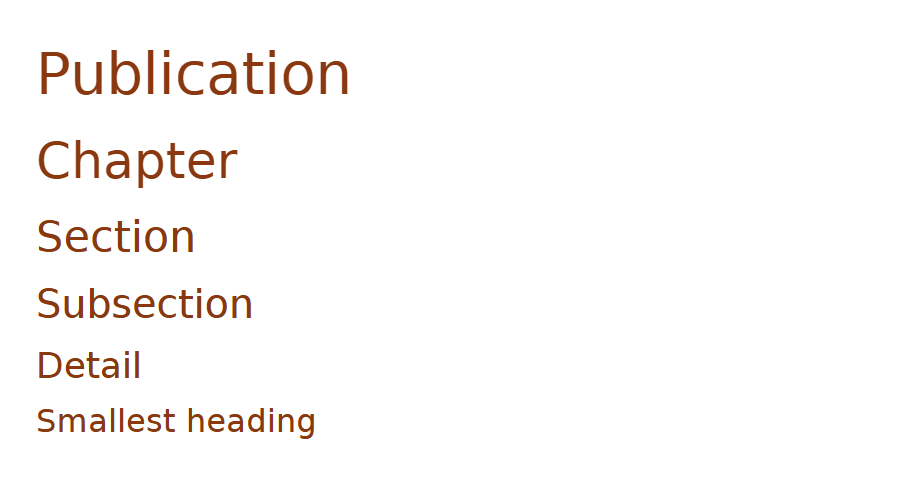
#Publication is not a heading in the CommonMark profile tested here, because the space after the hash mark is mandatory for the text to be recognized as a heading. Seven hash marks likewise do not produce a seventh level, since there are only six defined heading levels in Markdown. The actual font size is determined by the stylesheet; the ranking remains part of the document structure.
Example 02: Setext style
CommonMark
A line of equals signs under the text creates a first-level heading, a line of hyphens creates a second-level heading. The underline does not have to be exactly as long as the title. This style is pleasantly readable in plain text, but offers only two levels.
SOURCE
Publication
===========

Editorial scope
---------------
RENDERED RESULT

Caution with a hyphen line directly under a paragraph: it can act as a Setext marker instead of a horizontal rule. A blank line between the paragraph and the horizontal rule removes this specific ambiguity. Within an editorial team, a preferred heading style should be agreed upon.
Example 03: Paragraphs and three types of line endings
CommonMark
A blank line ends a paragraph. A single line break within a paragraph, by contrast, is a soft break. In the HTML output shown, the first two source lines therefore appear as one continuous paragraph. Wrapping at the right margin is a layout decision.
SOURCE
This source line
continues the same paragraph.

This line ends with two spaces.
This line follows a hard break.

This line ends with a backslash.\
This line also follows a hard break.
RENDERED RESULT
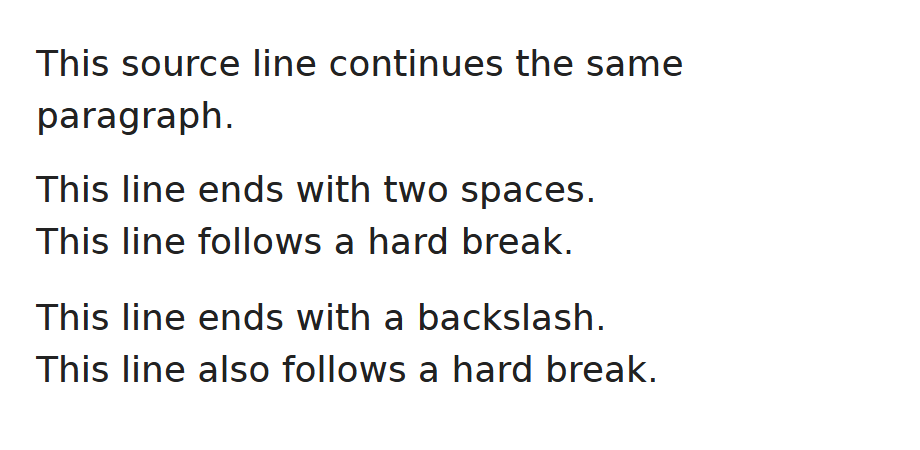
Two spaces immediately before the line ending produce a hard break. In the source text of this example they are actually present, even if they are barely visible. A backslash before the line ending is the more visible alternative. Automatic editor functions for removing trailing spaces can silently destroy the first variant. An empty line is nevertheless not the same as a hard break.
Example 04: Emphasis with asterisks and underscores
CommonMark
A pair of asterisks marks emphasis, two pairs of asterisks mark strong emphasis. Three can combine both types of markup. Underscores are alternative delimiters. The characters must be adjacent to the emphasized text: * important * does not have the same meaning.
SOURCE
This is *important* and this is **essential**.
This is ***especially important***.

This is _emphasis_ and this is __strong emphasis__.
The identifier `source_file_name` remains literal.
RENDERED RESULT
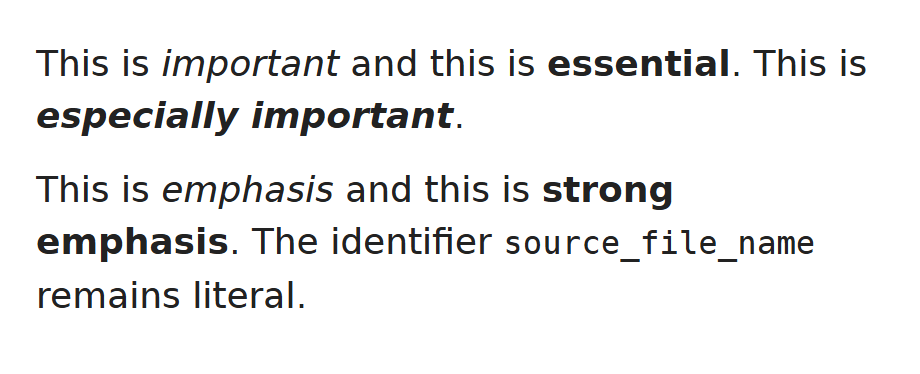
The output here uses italic and bold text respectively. In terms of content, the markup remains generic. It does not say whether the text is a product name, a definition or a warning. For technical identifiers, a code span is usually more unambiguous than emphasis. The underscores in the file name shown are treated as data in it, not as markup.
Example 05: Syntax characters, entities and non-breaking space
CommonMark
A backslash can protect punctuation marks that would otherwise trigger Markdown syntax. The example shows visible asterisks, square brackets and a hash sign at the beginning of a paragraph. HTML-Character references are also interpreted outside of code. From < and > become visible angle brackets.
SOURCE
\*Literal stars\* and \[literal brackets\].

\# This is not a heading.

Use <article>, AT&T and 10 kg.
RENDERED RESULT
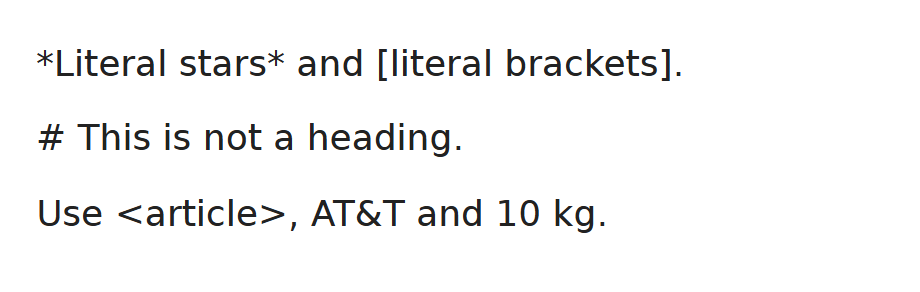
creates a non-breaking space between number and unit. This is a targeted line-break control, not protection for an entire table. In code spans and code blocks, these character sequences are shown literally by contrast. An XML example should therefore be marked up as code instead of replacing all angle brackets by hand.
Example 06: Inline code and contained backticks
CommonMark
Backticks enclose short literal fragments. Within them, neither XML tags nor emphasis characters are evaluated as such markup. If the fragment itself contains a backtick, two or more backticks are used as the outer delimiter. Opening and closing sequences must be of equal length.
SOURCE
Use `<article id="a1">` in the source.

Write `` `literal backticks` `` inside a code span.

Inside code, `**text**` is not strong emphasis.
RENDERED RESULT
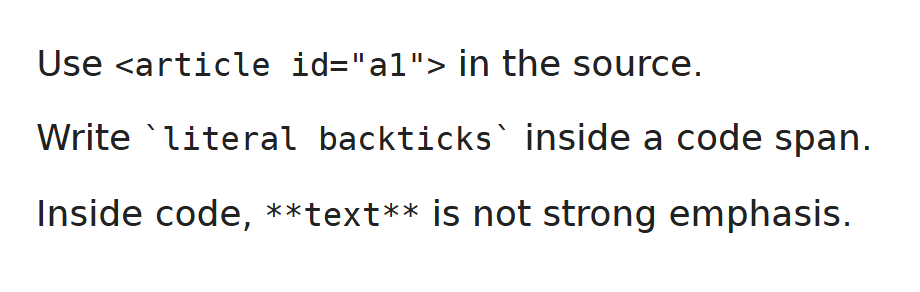
The spaces immediately inside the double delimiters enable clean separation in the example. Code spans are not, however, a lossless container for arbitrary Whitespacesequences: line endings are normalized. For files, indentation and multi-line program text, a code block is used.
Example 07: Block quotes with nesting
CommonMark
The greater-than sign marks a block quote. A second marker nests a quote within it. The blank lines marked with > keep the paragraphs together within the same quote block. This is different from mere indentation with spaces.
SOURCE
> The editor requests a revision.
>
> > The reviewer requests a source.
>
> The author adds the source.
RENDERED RESULT
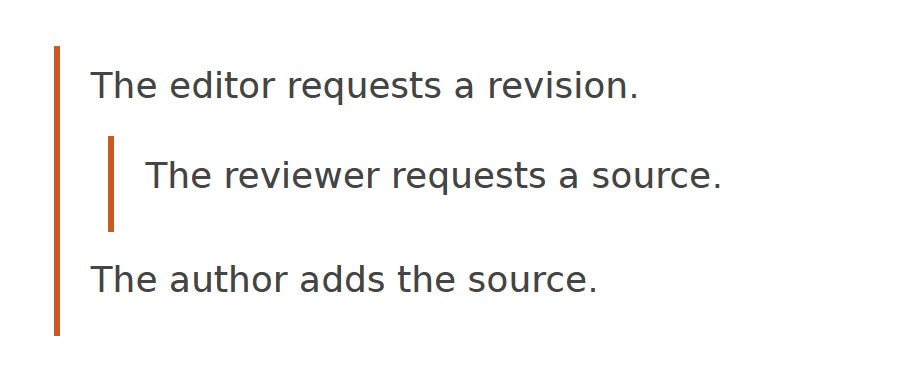
For easily maintainable sources, it is advisable to mark all quote lines explicitly, even if parsers accept certain continuation lines without a marker. A block quote does not provide a bibliographic source description. Author, title and location must be recorded additionally, for example using the citation mechanism shown later.
Example 08: Thematic separation and comment
CommonMark
At least three suitable asterisks, hyphens or underscores can represent a thematic separation. Here, asterisks avoid immediate confusion with a Setext underline. The line is not a forced page break and not a chapter with an identifier.
SOURCE
The first editorial topic ends here.

***

The next topic starts here.

<!-- Internal comment: verify the source. -->
RENDERED RESULT
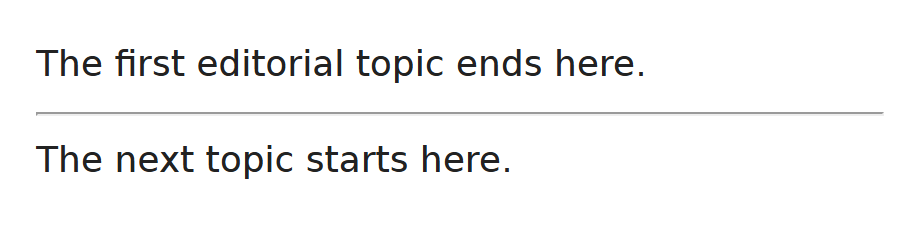
The HTML comment remains contained in the shown HTML file, but is not displayed in the browser. Invisible is not confidential: anyone who reads the source code can see the comment. Internal notes should therefore be removed before publication. In other target formats, embedded HTML may disappear, which must be checked separately.
Example 09: Extended inline markup
Pandoc Markdown
Strikethrough belongs to the GFM extension and is also processed by Pandoc. Superscript and subscript with circumflex or tilde, on the other hand, are Pandoc syntax, not part of the CommonMark core. Single and double tildes have different tasks here.
SOURCE
The ~~draft~~ final edition contains H~2~O and 2^10^.

[Editorial board]{.smallcaps}

[Check the source]{.underline}
RENDERED RESULT
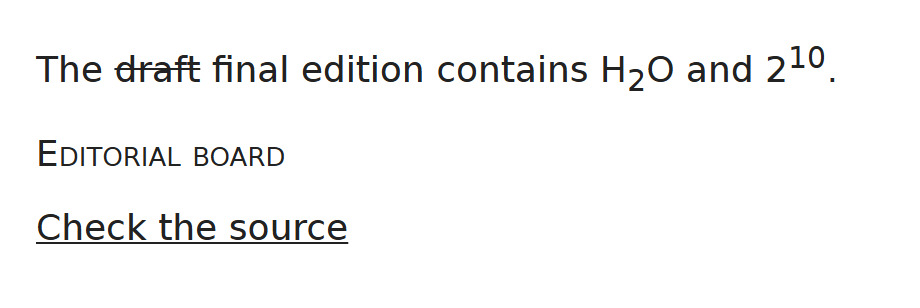
Small caps and underlining are expressed with classified spans. The classes smallcaps and underline have a special meaning for Pandoc. It does not follow that every self-invented class produces a special output. The tests check the HTML elements; for typographic equality between HTML and Word, the fonts and style templates used are additionally relevant.
Example 10: Line blocks for addresses and verses
Pandoc Markdown
A Pandoc line block begins each line with a vertical bar and a space. The output preserves the line boundaries without making each line a separate paragraph. This is suitable, for example, for a postal address or a short verse.
SOURCE
| Northlight Publishing
| Editorial Office
| 24 Example Lane
RENDERED RESULT

A line block is not a pipe table. The column separators and the table separator line are missing. In CommonMark, the special line block structure is not recognized. An interoperable alternative profile can use hard line breaks; however, it loses the explicit distinction of this block type.
The examples reveal an important production rule: source code corrections should be based on the document model. A global replacement of asterisks, indentations or line endings can damage code and shift block boundaries. A formatter must therefore match the agreed dialect. The unchanged source files in the package allow such changes to be checked against the same test set.