

XML technologies / SVG / Creating graphic elements from templates / Using templates
(Excerpt from “Das Einsteigerseminar SVG — Webgrafiken mit XML” by Helma Spona)
To use a defined symbol, use the <use> tag again and specify the symbol with its xlink:href attribute. To scale or rotate the object, also use the transform attribute. The listing creates three copies of the symbol smButton at different positions, reduced to 70% of their original size.
<use x="0" y="0" xlink:href="#smButton" transform="translate(200 50) scale(0.7)"/>
<use x="0" y="0" xlink:href="#smButton" transform="translate(160 120) scale(0.7)"/>
<use x="0" y="0" xlink:href="#smButton" transform="translate(90 180) scale(0.7)"/>
The browser displays this result:
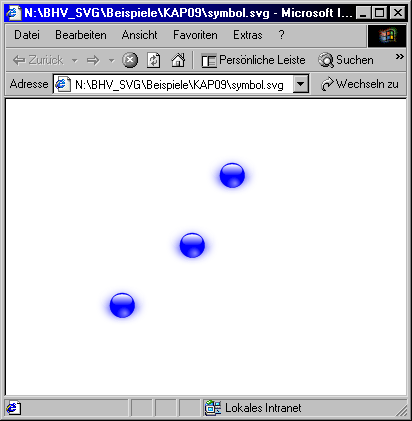
Figure: Copies created from smButton.
Copyright © verlag moderne industrie GmbH 2001
You may print the online version for your private use.
Otherwise, this chapter from “Das Einsteigerseminar SVG — Webgrafiken mit XML” is subject to the same conditions as the bound edition. The work, including all its parts, is protected by copyright. All rights reserved, including reproduction, translation, microfilming, and storage and processing in electronic systems.
verlag moderne industrie GmbH, Justus-von-Liebig-Straße 1, D-86899 Landsberg/Lech, fon ++49 (0) 81 91 / 125 – 0, leserservice(at)mi-verlag.de
back to top