

XML technologies / SVG / Adding hyperlinks and external files / Using external files correctly / Specifying whether external files are required
(Excerpt from “Das Einsteigerseminar SVG — Webgrafiken mit XML” by Helma Spona)
To specify whether external files such as CSS files or images are required for display, add an attribute to the <switch> tag or another container such as the <g> tag: the attribute externalResourcesRequired. Possible values are true or false. The value true means external files are required. The plug-in or browser then checks whether all external files used inside the container exist, rendering and displaying the contents only if all are found. The next example defines two missing external PNG images. The second is checked with externalResourceRequired and is not displayed. For the first, without this check, SVG Viewer shows its missing-image placeholder.
<?xml version="1.0" standalone="no"?>
...
<svg width="430" height="330" >
  <image x="20" y="20" xlink:href="mdk.png" width="32" height="22" />
  <g externalResourcesRequired="true">
    <image x="20" y="80" xlink:href="mdk.png" width="32" height="22" />
  </g>
</svg>
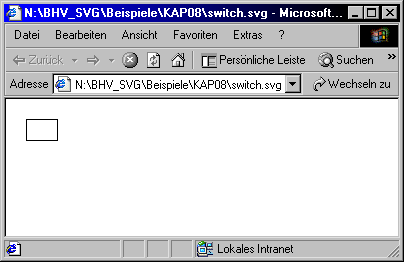
Figure: Placeholder for a missing image.
Note:
SVG Viewer behaves oddly here too. Although documentation says the attribute affects only its tag and contents, the viewer also applies it to all subsequent tags. Reverse the listing’s order, placing the group before the individual image, and the attribute affects that image too, though not defined there.
Copyright © verlag moderne industrie GmbH 2001
You may print the online version for your private use.
Otherwise, this chapter from “Das Einsteigerseminar SVG — Webgrafiken mit XML” is subject to the same conditions as the bound edition. The work, including all its parts, is protected by copyright. All rights reserved, including reproduction, translation, microfilming, and storage and processing in electronic systems.
verlag moderne industrie GmbH, Justus-von-Liebig-Straße 1, D-86899 Landsberg/Lech, fon ++49 (0) 81 91 / 125 – 0, leserservice(at)mi-verlag.de
back to top