

XML technologies / SVG / Filters, transformations and gradients / Defining and assigning gradients
(Excerpt from “Das Einsteigerseminar SVG — Webgrafiken mit XML” by Helma Spona)
Even simple gradients can produce attractive effects. This is demonstrated by a simple example that creates the following button:
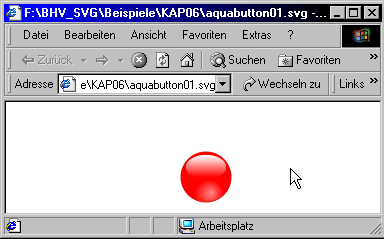
Figure: Button to create.
This requires only two simple shapes, a circle and an ellipse, placed on top of each other and filled with different gradients. A shadow can further enhance the result.
Copyright © verlag moderne industrie GmbH 2001
You may print the online version for your private use.
Otherwise, this chapter from “Das Einsteigerseminar SVG — Webgrafiken mit XML” is subject to the same conditions as the bound edition. The work, including all its parts, is protected by copyright. All rights reserved, including reproduction, translation, microfilming, and storage and processing in electronic systems.
verlag moderne industrie GmbH, Justus-von-Liebig-Straße 1, D-86899 Landsberg/Lech, fon ++49 (0) 81 91 / 125 – 0, leserservice(at)mi-verlag.de
back to top