

XML technologies / SVG / Using complex graphic elements and formatting / Creating complex elements with Bézier curves / Drawing letters
(Excerpt from “Das Einsteigerseminar SVG — Webgrafiken mit XML” by Helma Spona)
Drawing letters with paths may seem pointless at first, given the <text> tag and other text mechanisms.
It is useful, however, when designing a logo requiring exact letter shapes. SVG has the same problem as HTML: only fonts installed on the target computer can be displayed as intended.
For an unusual logo font generally absent from users’ computers, paths can be a solution, especially with only a few characters.
The next example demonstrates this manually. Using a suitable graphics program to draw the letters and export SVG is naturally more efficient.
Note:
Fonts could also be embedded in the SVG file, but this greatly increases its size and may raise licensing issues, since fonts too may be copyrighted.
The following steps define three groups, one for each letter S, V and G. The final result looks as follows:
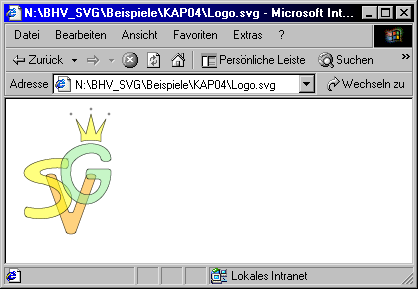
Figure: Letters to create with SVG.
Note:
Three separate groups make the letters easy to position individually later.
Copyright © verlag moderne industrie GmbH 2001
You may print the online version for your private use.
Otherwise, this chapter from “Das Einsteigerseminar SVG — Webgrafiken mit XML” is subject to the same conditions as the bound edition. The work, including all its parts, is protected by copyright. All rights reserved, including reproduction, translation, microfilming, and storage and processing in electronic systems.
verlag moderne industrie GmbH, Justus-von-Liebig-Straße 1, D-86899 Landsberg/Lech, fon ++49 (0) 81 91 / 125 – 0, leserservice(at)mi-verlag.de
back to top