

XML technologies / ePUB / ePub für (In)Designer / Distributing electronic books / Online stores from Amazon, Apple and others
(Excerpt from “ePub für (In)Designer — Mit InDesign Schritt für Schritt zum E-Book” by Sascha Heck & Yves Apel)
Amazon Store
Amazon’s Kindle Store sells digital books through Kindle Direct Publishing, KDP, with free access and sales fees. Current royalty options are 35% and 70%; conditions appear under Amazon KDP pricing page. We cannot detail constantly changing terms here. Unlike most stores, Amazon requires no ISBN.
Sign in with a free Amazon account, creating one with Register if needed. The simple, largely self-explanatory portal manages books and account information.

Figure: KDP—adding a new title.
Complete account details through Update Now. Clicking Bookshelf returns to the portal’s first page.
New titles require two main sections. First enter book and author details and upload the file. Save a draft if information is incomplete.
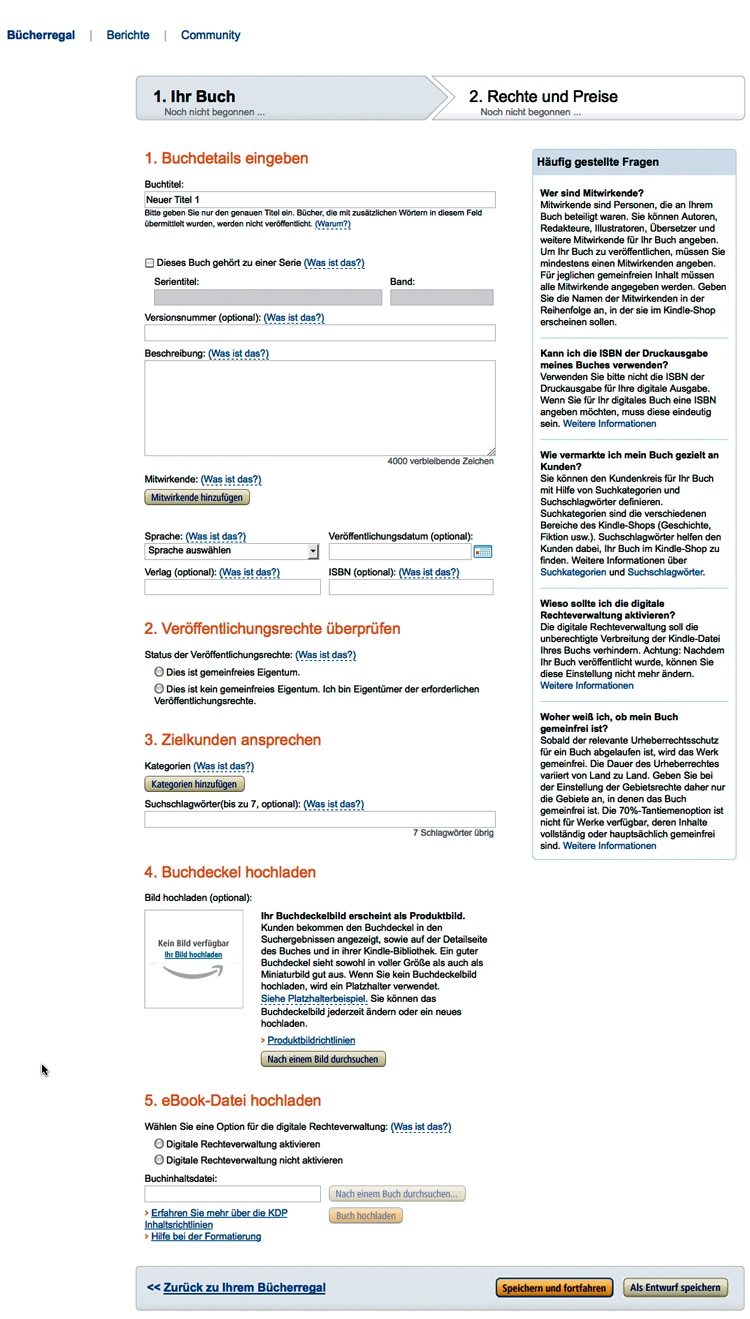
Figure: KDP—book details and upload.
Then set prices, choose a royalty option and accept Amazon’s terms.
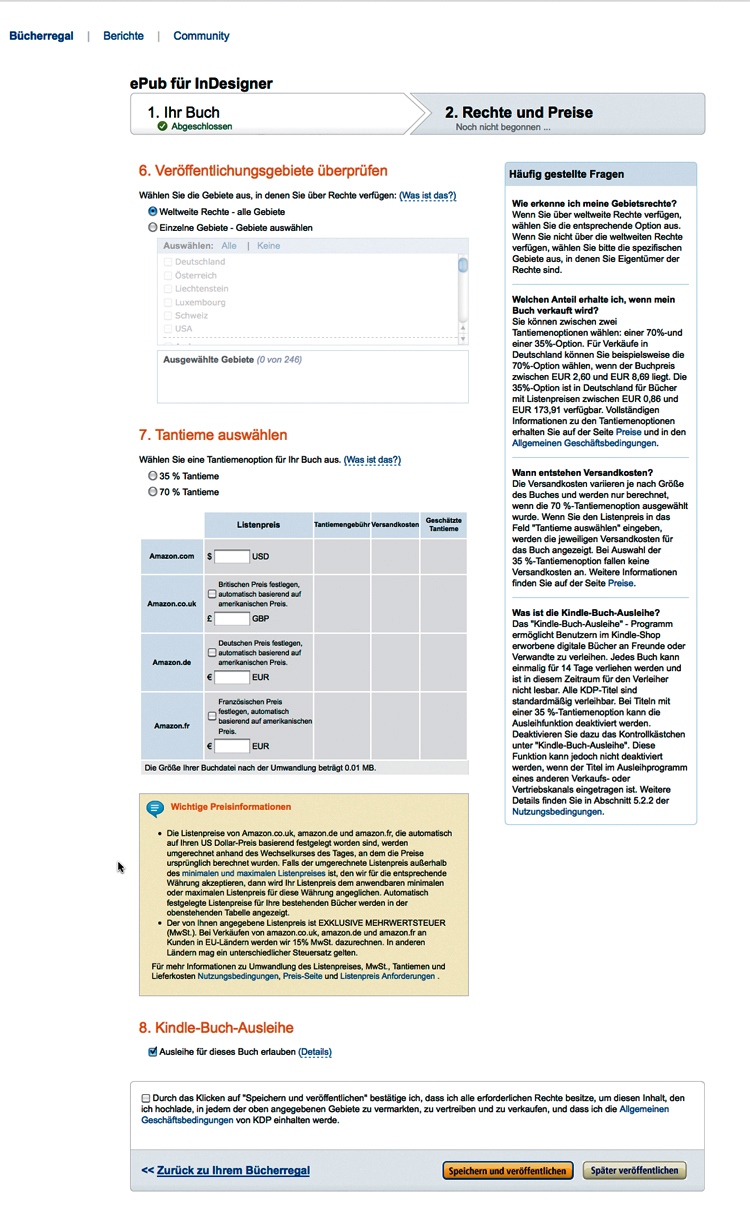
Figure: KDP—rights and pricing.
Click Save and Publish to send your book to Amazon’s store.
Apple iBookstore
Apple’s portal is iTunes Connect, familiar to iOS developers, although even they must register again. Begin free registration under iTunes Connect Online Application. Choose free distribution or sales, the latter requiring a credit card. Submission also requires a Mac. The following describes a selling account.
First obtain Apple’s mandatory ISBN. In Germany visit the Agentur für Buchmarktstandards.
Choose ISBN and read the introductory usage sheet carefully before applying.
Continue with Application in the left menu. Publishers choose Publishers with continuing production; one-off authors choose Self-publishers expecting a single publication. Multiple books require business registration and founding a publisher, through the public-order or trade office, costing €10–65 by region.
Download the form. A one-off author pays €79.08; publishers pay €139 registration and, for example, €25 for ten ISBNs. Shipping and VAT are extra.
Businesses and publishers must also apply to the US tax authority, Internal Revenue Service, for an EIN, Employer Identification Number. Read its application steps. Individuals or authors without a publisher/business must also apply there for a tax number.
With iTunes credentials, Mac and ISBN, start submission in iTunes Connect using the link above. First choose Books.
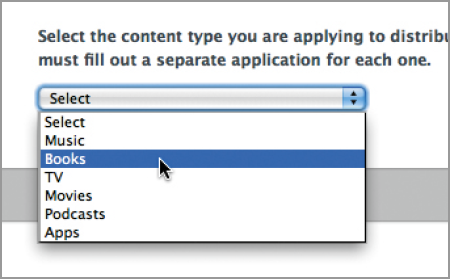
Figure: iTunes Connect → Books.
Continue with iTunes account credentials.
Besides book, address and sales countries, supply US Tax ID, the EIN. Individuals or authors without a business choose SSN/ITIN and enter their tax number. Online advice suggests nine zeros to avoid applying when not selling in America, but this failed in our tests.
Registration lets you download iTunes Producer, which guides book submission to iBookstore.
Third-party aggregators
Independent aggregators agree with Apple to submit large quantities for clients. These intermediaries let publishers and authors submit without applying themselves for US tax numbers or ISBNs, including individuals without businesses.
Bookwire was Apple’s first official European aggregator. Immatériel joined in late 2011. Consult providers’ websites or contact them for exact services.
E-book resellers
Independent (“indie”, meaning independent) authors without publisher affiliation or coding skills for their own shop can use resellers such as xinxii.com, ciando.com, bod.de, beam-ebooks.de, lulu.com, epubli.de, eleboo.de and others. Eleboo is Germany’s first Facebook indie bookstore: an idea likely to grow, reaching buyers where they already spend time.
A small platform fee usually covers credit cards, PayPal and automated delivery after payment, features you would otherwise implement yourself.
Also remember the Google eBook Store, formerly Google Editions. Books live on Google servers and read on all devices, with iPhone, iPad and Android apps. Google search includes books: users browse, buy and download directly.
Publishers have other platforms, notably in Germany buchhandel.de, home.libri.de, umbreit.de and kn-digital.de.
More useful information appears under Self-publishing a book.
Copyright © dpunkt.verlag GmbH 2012
You may print the online version for your private use.
Otherwise, this chapter from “ePub für (In)Designer” is subject to the same terms as the printed edition: the work and all its parts are protected by copyright. All rights reserved, including reproduction, translation, microfilming, and storage and processing in electronic systems.
dpunkt.verlag GmbH, Wieblinger Weg 17, 69123 Heidelberg, fon 06221-14830, fax 06221-148399, hallo(at)dpunkt.de