

XML technologies / CSS / Advanced websites with CSS / Text effects and cascading / Text alignment as a design technique / Alignment creates space and breathing room
(Excerpt from “CSS − Advanced websites with Cascading Stylesheets” by Rachel Andrew & Dan Shafer)
The pages in the following four figures show how text-align can affect a page’s readability and layout. The first figure leaves text alignment at its defaults rather than defining it explicitly. The corresponding HTML follows the figure.
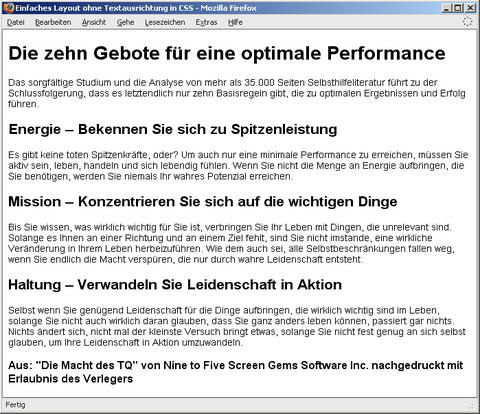
Figure: A simple page layout without a text alignment rule.
<!DOCTYPE html PUBLIC "-//W3C//DTD XHTML 1.0 Strict//EN" "http://www.w3.org/TR/xhtml11/DTD/xhtml1-strict.dtd">
<html xmlns="http://www.w3.org/1999/xhtml">
  <head>
    <title>Einfaches Layout ohne Textausrichtung in CSS</title>
    <meta http-equiv="Content-Type" content="text/html; charset=iso-8859-1" />
    <style type="text/css">
      body {
        background-color: #FFFFFF;
        font-family: helvetica, arial, sans-serif;
        font-size: 14px;
      }
    </style>
  </head>
  <body>
    <h1>Die zehn Gebote für eine optimale Performance</h1>
    <p>Das sorgfältige Studium und die Analyse von mehr als 35.000 Seiten Selbsthilfeliteratur führt zu der Schlussfolgerung, dass es letztendlich nur zehn Basisregeln gibt, die zu optimalen Ergebnissen und Erfolg führen.</p>
    <h2>Energie – Bekennen Sie sich zu Spitzenleistung</h2>
    <p>Es gibt keine toten Spitzenkräfte, oder? Um auch nur eine minimale Performance zu erreichen, müssen Sie aktiv sein, leben, handeln und sich lebendig fühlen. Wenn Sie nicht die Menge an Energie aufbringen, die Sie benötigen, werden Sie niemals Ihr wahres Potenzial erreichen.</p>
    <h2>Mission – Konzentrieren Sie sich auf die wichtigen Dinge</h2>
    <p>Bis Sie wissen, was wirklich wichtig für Sie ist, verbringen Sie Ihr Leben mit Dingen, die unrelevant sind. Solange es Ihnen an einer Richtung und an einem Ziel fehlt, sind Sie nicht imstande, eine wirkliche Veränderung in Ihrem Leben herbeizuführen. Wie dem auch sei, alle Selbstbeschränkungen fallen weg, wenn Sie endlich die Macht verspüren, die nur durch wahre Leidenschaft entsteht.</p>
    <h2>Haltung – Verwandeln Sie Leidenschaft in Aktion</h2>
    <p>Selbst wenn Sie genügend Leidenschaft für die Dinge aufbringen, die wirklich wichtig sind im Leben, solange Sie nicht auch wirklich daran glauben, dass Sie ganz anders leben können, passiert gar nichts. Nichts ändert sich, nicht mal der kleinste Versuch bringt etwas, solange Sie nicht fest genug an sich selbst glauben, um Ihre Leidenschaft in Aktion umzuwandeln.</p>
    <h3>Aus: "Die Macht des TQ" von Nine to Five Screen Gems Software Inc. nachgedruckt mit Erlaubnis des Verlegers</h3
  </body>
</html>
The page’s design is not particularly complex or appealing, even for someone interested in its content.
Centering the top heading and aligning subheadings right instead of left improves it. The following figure shows the result:
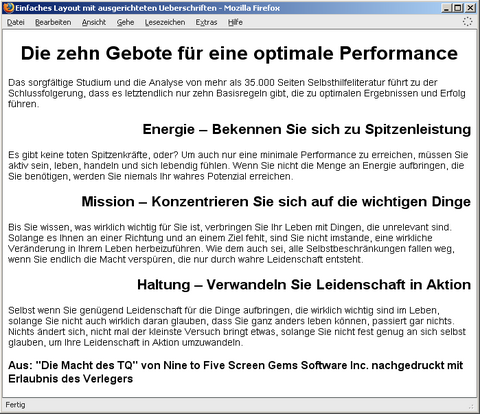
Figure: A simple page layout with aligned headings.
We created this effect with the following rules:
h1 {
  text-align: center;
}
h2 {
  text-align: right;
}
Admittedly, the layout still looks unusual, but it is clearly more interesting than our first attempt. The white space on the left at least attracts attention.
The page combines headings with paragraphs of punchy advice. Its content therefore seems better suited to an advertising-style design. Let us see how it looks with centered paragraphs. The following figure shows the result.
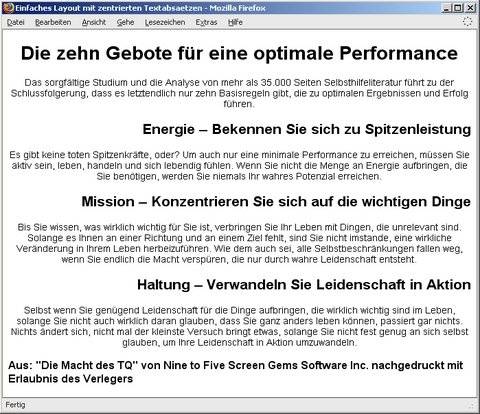
Figure: A simple page layout with centered paragraphs.
For this effect, we simply added a rule for elements p to the stylesheet:
h1 {
  text-align: center;
}
h2 {
  text-align: right;
}
p {
  text-align: center;
}
Whether or not this actually looks better, the point is clear: creating more white space is easy. Deliberate text alignment is a simple way to make page layouts more effective.
We are not finished yet. The next figure shows how a background color for the headings further enhances the white space. We choose yellow, a light primary color that creates a sense of space rather than a colored bar crowding the page.
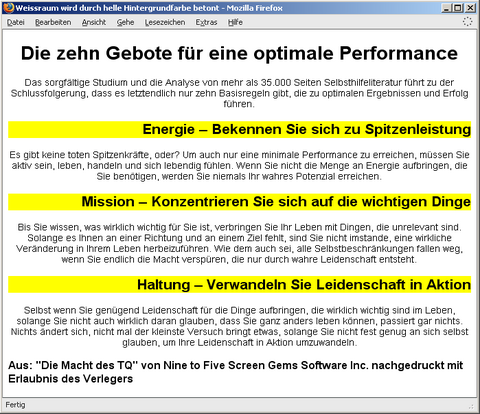
Figure: A light background color emphasizes white space.
With the background color for h2 defined, the stylesheet now looks like this:
h1 {
  text-align: center;
}
h2 {
  text-align: right;
  background-color: yellow;
}
p {
  text-align: center;
}
Copyright © 2006 of the German translation, dpunkt.verlag GmbH
You may print the online version for your private use.
Otherwise, this chapter from “CSS − Anspruchsvolle Websites mit Cascading Stylesheets” is subject to the same conditions as the bound edition: the work, including all its parts, is protected by copyright. All rights reserved, including reproduction, translation, microfilming, and storage and processing in electronic systems.
dpunkt.verlag GmbH, Ringstraße 19, 69115 Heidelberg
back to top