

XML technologies / SVG / Interactive graphics / Scripting basics / Inserting scripts
(Excerpt from “Das Einsteigerseminar SVG — Webgrafiken mit XML” by Helma Spona)
Scripting inside SVG requires a scripting language. SVG uses ECMAScript, a standardized JavaScript dialect. With JavaScript or JScript knowledge, and perhaps familiarity with the W3C DOM in Netscape 6, you will quickly master SVG scripting.
Insert scripts in the SVG file inside the <script> tag, much like HTML. Its type attribute must have the value text/ecmascript to identify the scripting language to the XML parser. Place the script in a CDATA section, beginning with <![CDATA[ and ending with ]]>. Between these markers put a function, variable declaration or individual instruction.
<script type="text/ecmascript">
  <![CDATA[...]]>
</script>
This first example defines and calls a function changing a circle from red to blue on hover. Though simple, it demonstrates dynamic SVG. First, inside the <script> tag, define a function farbeAendern receiving a parameter evt. The parameter must be named evt because it passes the object whose event calls the function. The first two lines define the variables kreis and aktFarbe. Assign to the variable kreis the return value of the parameter’s method getTarget to identify the element of the SVG graphic that triggered the event. The second line assigns to the variable aktFarbe the current value of the style attribute, here only the fill color. Call the SVG element’s getAttribute method with the attribute name as a parameter, here style.
Note:
Strings such as attribute names or string-valued attributes must always be quoted in scripts!
After retrieving the current value, an if branch checks the value of the variable aktFarbe. This allows calling the function both when entering and leaving the element. It determines the current fill color and assigns the other one. The expression aktFarbe == "fill:red" tests whether the value of aktFarbe equals "fill:red". If so, the method setAttribute assigns to the style attribute the value fill:blue. Its first parameter names the attribute to change, the second supplies the new value. For any other value, the attribute receives fill:red.
The function is complete but still needs calling. As in HTML, use event handlers. Assign the function to the events that should trigger it, here onmouseover and onmouseout. Pass the keyword evt as a parameter.
<?xml version="1.0" standalone="no"?>
...
<svg width="300" height="800">
  <defs>
    <script type="text/ecmascript">
      <![CDATA[
        function farbeAendern(evt)
        {
          var kreis= evt.getTarget();
          var aktFarbe = kreis.getAttribute("style");
          if (aktFarbe == "fill:red")
            kreis.setAttribute("style", "fill:blue");
          else
            kreis.setAttribute("style", "fill:red");
        }
      ]]>
    </script>
  </defs>
  <circle onmouseover="farbeAendern(evt)" onmouseout="farbeAendern(evt)" cx="100" cy="100" r="20" style="fill:red"/>
</svg>
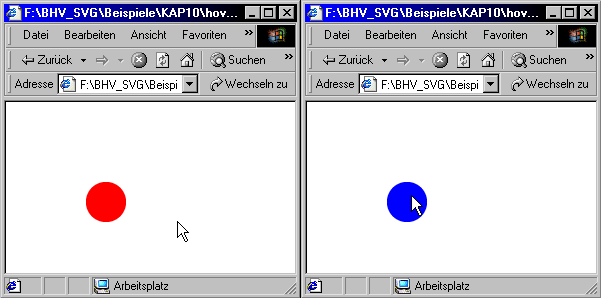
Figure: Element state change on hover.
This works correctly only when fill:red is the only property in the style attribute. Later examples show convenient ways to retrieve and change individual style properties.
Copyright © verlag moderne industrie GmbH 2001
You may print the online version for your private use.
Otherwise, this chapter from “Das Einsteigerseminar SVG — Webgrafiken mit XML” is subject to the same conditions as the bound edition. The work, including all its parts, is protected by copyright. All rights reserved, including reproduction, translation, microfilming, and storage and processing in electronic systems.
verlag moderne industrie GmbH, Justus-von-Liebig-Straße 1, D-86899 Landsberg/Lech, fon ++49 (0) 81 91 / 125 – 0, leserservice(at)mi-verlag.de
back to top