

XML technologies / ePUB / Open Publication Structure / Lists
(Excerpt from “E-Books mit ePUB ─ Von Word zum E-Book mit XML” by Dr. Victor Wang)
Lists are block elements that give equal-ranking passages, usually paragraphs, numbered or unnumbered list markers. Typographically, lists are generally distinguished by indentation.
The list concepts of the two OPS standards have substantial structural differences. XHTML offers a minimalist concept separating structure completely from layout. Each list has a container element: ordered list <ol> (“ordered list”) or unordered list <ul> (“unordered list”), respectively.
<html xmlns="http://www.w3.org/1999/xhtml" xml:lang="de">
  <head>
   <title>Listen XHTML</title>
  </head>
  <body>
   <div class="Gliederungsebene">
     <h1>Gezählte Liste</h1>
     <p>Die höchsten Kohlenstoffdioxidemissionen pro Einwohner in Tonnen (Statistisches Bundesamt, 2005):</p>
       <ol>
         <li>
           <p>Amerika:</p>
           <ol>
             <li>Vereinigte Staaten: 19,4</li>
             <li>Canada: 17</li>
           </ol>
         </li>
         <li>Saudiarabien: 12,8</li>
         <li>Russland: 10,4</li>
         <li>Deutschland: 10,1</li>
       </ol>
   </div>
  </body>
</html>
Code example: Lists in XHTML
XHTML therefore does not structurally specify which list style to display: the HTML attribute type no longer exists in XHTML. Formatting is initially left to the browser or reader. For example, Adobe Digital Editions and iBooks display the preceding example as follows:
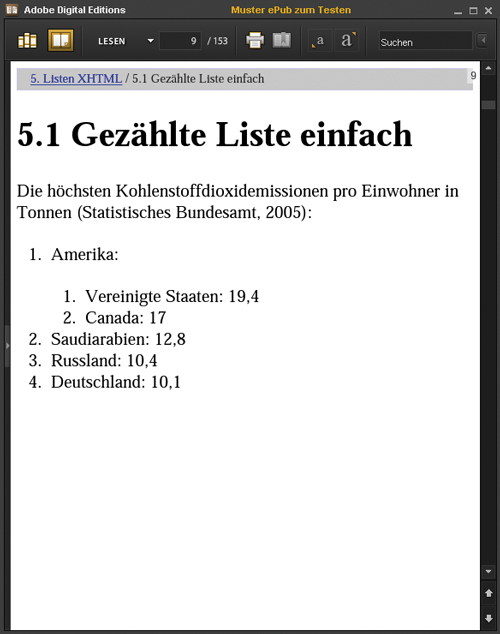
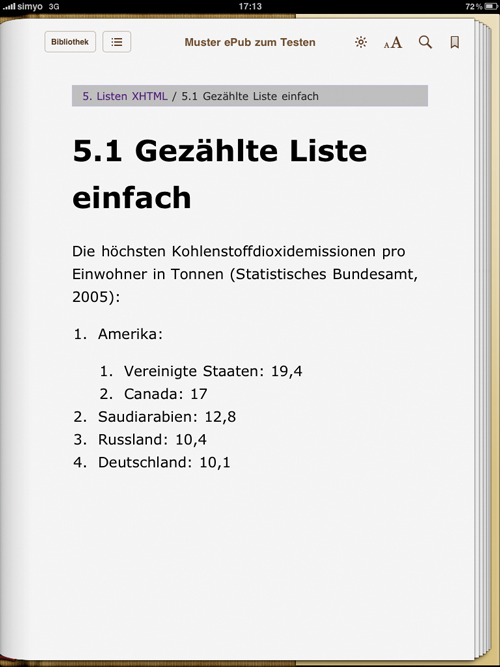
Figure: XHTML list example (Adobe Digital Editions and iBooks).
Only a corresponding stylesheet overrides this display, suggesting class attributes so the stylesheet knows how each list should appear. In the example, the outer list could use Roman numerals and the inner lowercase letters:
<ol class="liste-roemisch">
  <li>
     <p>Amerika:</p>
     <ol class="liste-buchstabe">
        <li>Vereinigte Staaten: 19,4</li>
        <li>Canada: 17</li>
     </ol>
  </li>
  <li>Saudiarabien: 12,8</li>
  <li>Russland: 10,4</li>
  <li>Deutschland: 10,1</li>
</ol>
Code example: XHTML lists using the class attribute
A CSS stylesheet can then select this class and apply the corresponding CSS list style type (list-style-type):
ol.liste-buchstabe
{
 list-style-type: lower-alpha;
 font-family: Arial, sans-serif;
}
ol.liste-roemisch
{
 list-style-type: lower-roman;
 font-family: Arial, sans-serif;
}
Adobe Digital Editions and iBooks then display the lists correctly, as expected.
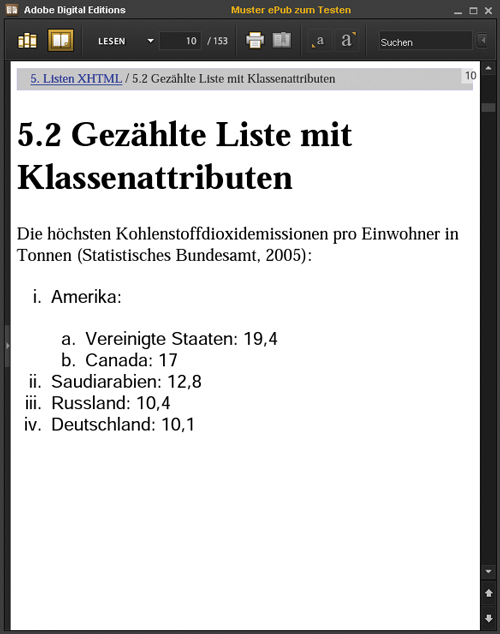
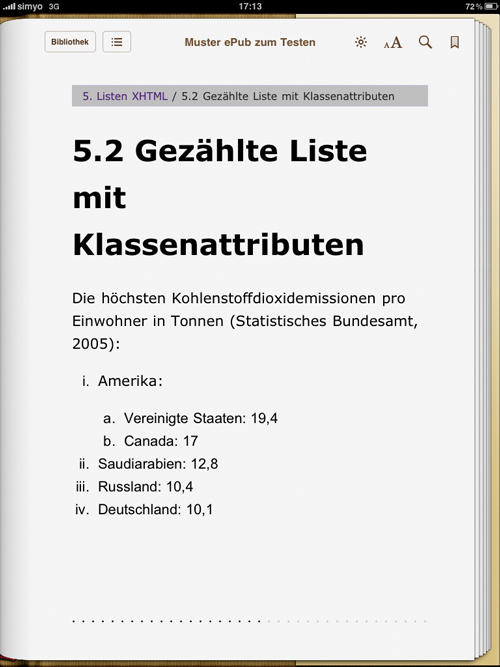
Figure: XHTML lists with class attributes and CSS formatting (Adobe Digital Editions and iBooks).
The list concept in DTBook would not inherently require this stylesheet detour, because the markup can specify the list type. Its list element <list> also has the attribute enum defining numbering. As in XHTML, each list item uses <li>. DTBook additionally offers list-item components <lic> (“list item component”) for table-like associations. In the example, the “country” and “emission value” entries naturally lend themselves to this markup:
<list type="ol" enum="i">
  <li>
    <p>Amerika:</p>
    <list type="ol" enum="a">
      <li><lic>Vereinigte Staaten:</lic> <lic>19,4</lic></li>
      <li><lic>Canada:</lic> <lic>17</lic></li>
    </list>
  </li>
  <li><lic>Saudiarabien:</lic> <lic>12,8</lic></li>
  <li><lic>Russland:</lic> <lic>10,4</lic></li>
  <li><lic>Deutschland:</lic> <lic>10,1</lic></li>
</list>
Code example: Lists in DTBook
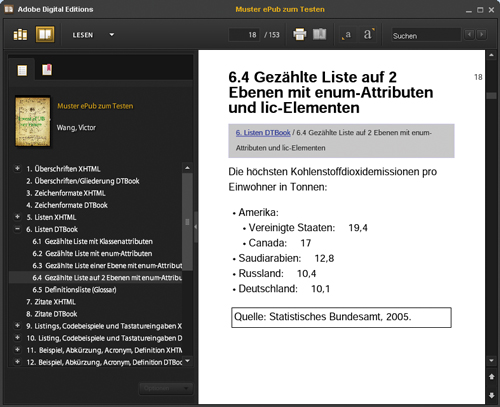
Figure: Inadequately formatted DTBook list (Adobe Digital Editions).
Unfortunately, the tested readers, Adobe Digital Editions and Sony-PRS, ignore this markup and display the ordered list as unordered. Wider spacing suggests the list-item components. iBooks unfortunately does not display DTBook data at all.
For completeness, another special list type is identical in XHTML and DTBook: the definition list. It represents a glossary-like structure, as this example shows:
<?xml version="1.0" encoding="UTF-8"?>
<!DOCTYPE dtbook PUBLIC "-//NISO//DTD dtbook 2005-2//EN" "http://www.daisy.org/z3986/2005/dtbook-2005-2.dtd">
<dtbook xmlns="http://www.daisy.org/z3986/2005/dtbook/" version="2005-2">
  <head/>
  <book>
    <bodymatter>
      <level class="Gliederungsebene">
        <hd>Definitionsliste (Glossar)</hd>
        <p>Wichtige E-Book-Formate:</p>
        <dl>
          <dt>FB2</dt>
          <dd>Fiction Book Format</dd>
          <dt>LIT</dt>
          <dd>Format des Microsoft Readers</dd>
          <dt>Mobi</dt>
          <dd>Format des Mobipocket Readers</dd>
          <dt>OEB</dt>
          <dd>Open E-Book Format</dd>
          <dt>PDF</dt>
          <dd>Portable Document Format</dd>
        </dl>
        <p/>
      </level>
    </bodymatter>
  </book>
</dtbook>
Code example: Definition list (glossary) in DTBook
The two consecutive elements within the definition list <dl> specify the term or glossary entry (<dt>) and its definition (<dd>). Adobe Digital Editions and iBooks display this list as below:
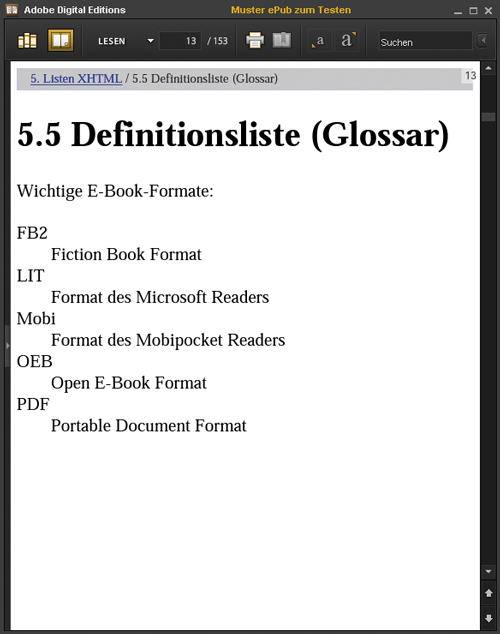
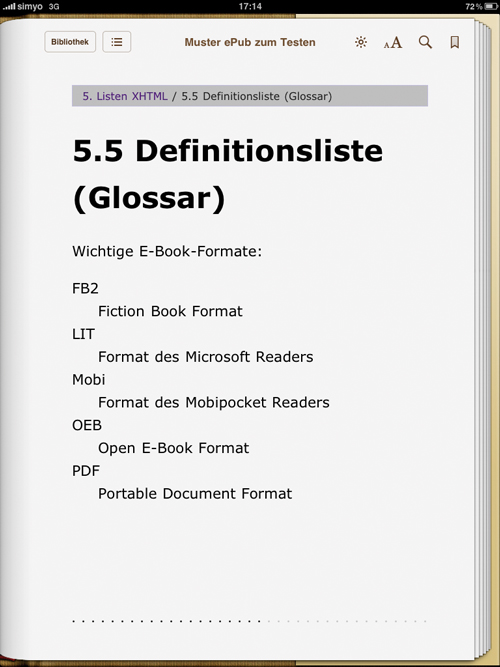
Figure: XHTML definition list (Adobe Digital Editions and iBooks).
When a glossary term occurs in running text, use the corresponding semantic element <dfn> (“Definition”), which is identical in XHTML and DTBook.
Copyright © mitp 2011
You may print the online version for your private use.
Otherwise, this chapter from “E-Books mit ePUB” is subject to the same terms as the printed edition: the work and all its parts are protected by copyright. All rights reserved, including reproduction, translation, microfilming, and storage and processing in electronic systems.
Verlagsgruppe Hüthig Jehle Rehm GmbH, Im Weiher 10, 69121 Heidelberg, kundenbetreuung(at)hjr-verlag.de
back to top