

XML technologies / Markdown in publishing / Metadata
Extended Markdown profiles can store more than visible markup. YAML metadata, IDs, and attributes allow additional information. Divs and spans provide generic containers. An editorial authoring profile can be developed from these, provided its rules are explicitly defined.
The last two examples in this chapter intentionally contain custom Lua filters. They belong to the example project and not to the Markdown standard. Without these filters, neither an index nor a target-group-specific reduced publication is created. The documentation thus distinguishes storability from implemented functionality. S15, S16
Example 44: YAML metadata with lists and objects
Pandoc Markdown
A YAML-Block begins and ends here with three hyphens. In addition to simple values, it contains a list of author objects. The indentation is part of the YAML structure. edition: "01" is deliberately written as a string so that the leading zero is not treated as part of a number.
SOURCE
---
title: "Editorial Reference"
author:
  - name: "Alex Morgan"
    affiliation: "Northlight Publishing"
lang: en-GB
keywords: [publishing, markdown, quality]
edition: "01"
---

This document has structured metadata.
ACTUAL PROCESSOR OUTPUT
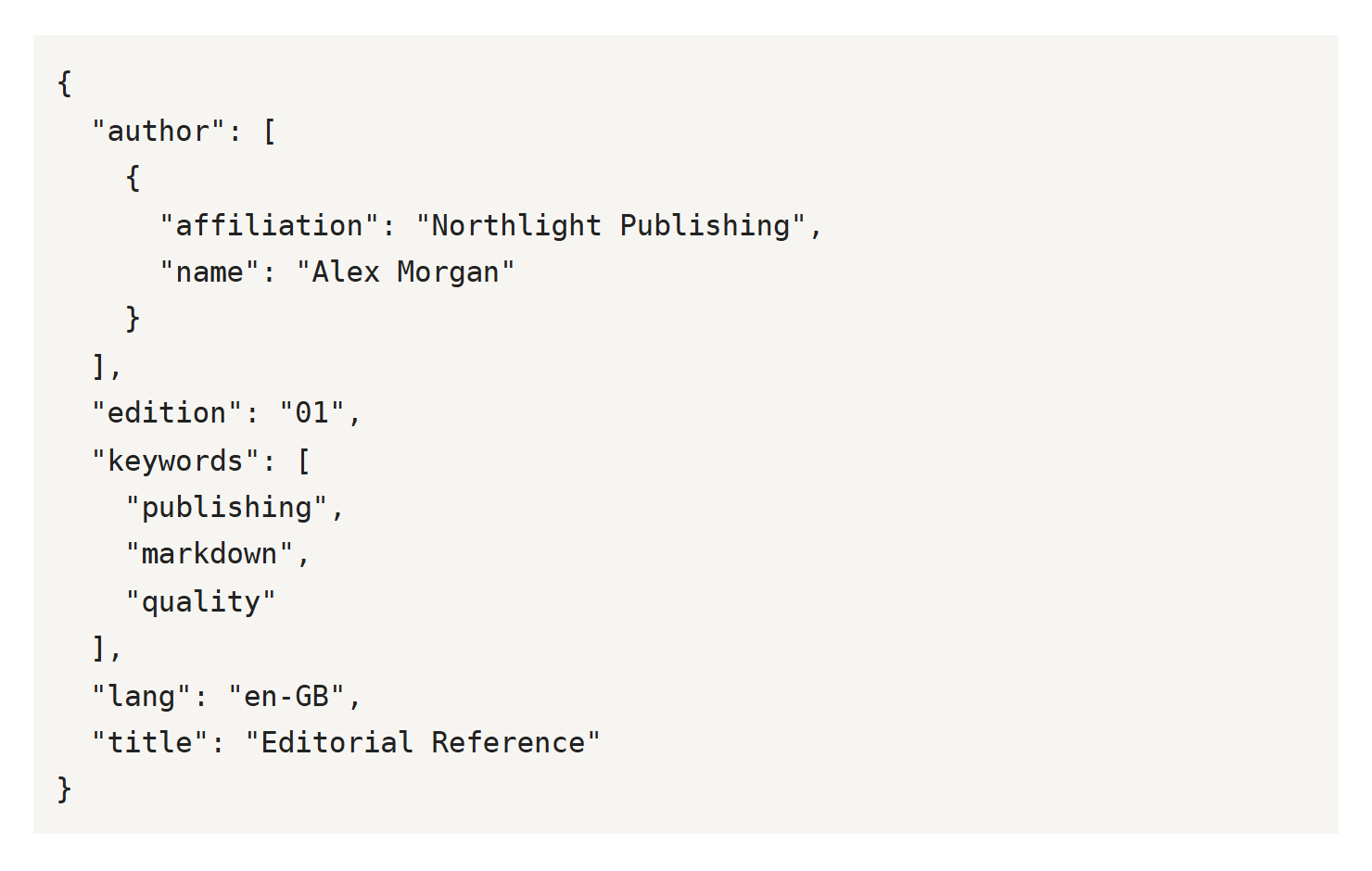
Pandoc reads these values into its metadata model. The example preview therefore shows an actual JSON excerpt of this model rather than an invented title page. Which fields an HTML or Word template outputs is a second question. An arbitrary custom metadata field is not automatically published, validated, or translated into a corresponding XML subject element.
Example 45: The simple Pandoc title block
Pandoc Markdown
In addition to YAML, Pandoc supports a simple title block with percent signs. The three lines stand for title, authors, and date. Semicolons separate two authors here. This is practical for small documents with few metadata.
SOURCE
% Editorial Reference
% Alex Morgan; Jamie Lee
% 21 September 2026

This is a small reference publication.
ACTUAL PROCESSOR OUTPUT
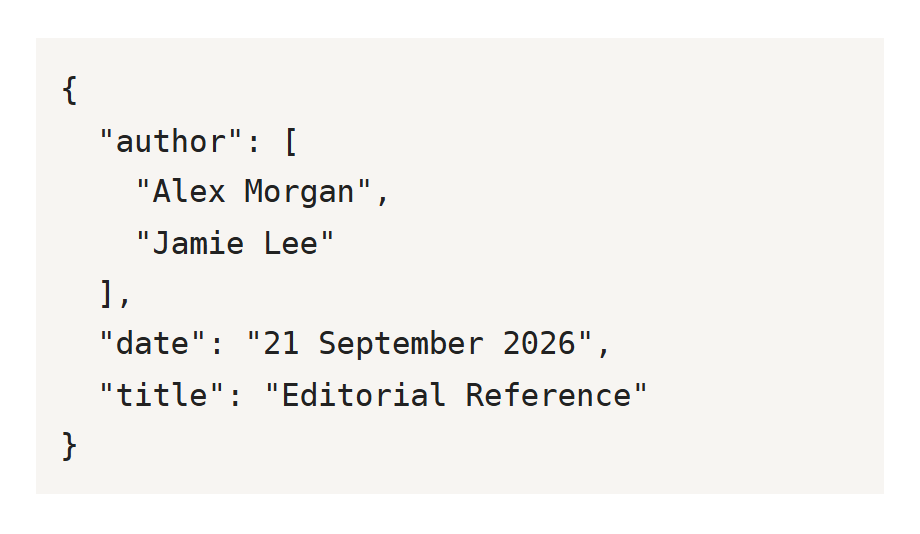
The preview again shows the actually parsed metadata. For nested author information, multiple language versions, or editorial status fields, YAML is more suitable. Both notations are extensions, not universal properties of a file with the extension .md. The file format alone does not reveal which metadata profile was agreed upon.
Example 46: Divs, spans, and subject-specific classes
Pandoc Markdown
Three colons with attributes open a div container. A sequence of colons without attributes closes it. In the example, the div encompasses a paragraph and a list. Within the paragraph, a bracketed span forms a smaller, classified area.
SOURCE
::: {#review-note .note}
Review the [source identifier]{.term data-kind="identifier"}
before publication.

- Keep the identifier stable.
- Check the link target.
:::
RENDERED RESULT
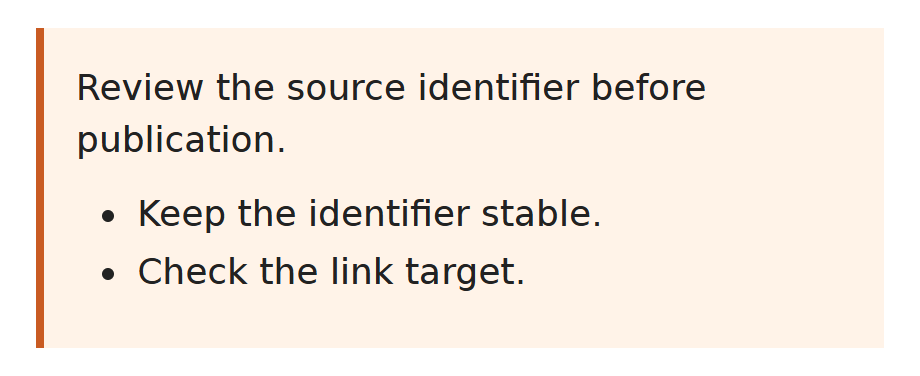
The identifier is a reference target, .note and .term are classes, data-kind is another attribute. The orange display of the note comes from the included CSS. Pandoc therefore does not know by itself which technical rules a note or an identifier must satisfy. A profile can establish such conventions and check them with a filter.
Example 47: Format-bound raw blocks
Pandoc Markdown
The raw attribute mechanism can bind content to an output format. The first block contains HTML, the second a LaTeX page break. In the HTML preview, only the first raw block appears. The normal paragraph remains unaffected.
SOURCE
```{=html}
<p class="web-only">Only the HTML edition contains this paragraph.</p>
```

```{=latex}
\newpage
```

This paragraph belongs to every edition.
RENDERED RESULT
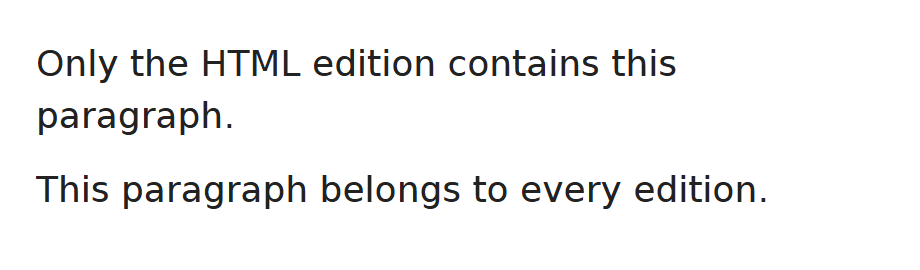
This is not a portable Markdown page break. The LaTeX command has no automatic equivalent in a DOCX writer. A mixed source can accumulate so many output-specific special cases that it becomes difficult to maintain. Therefore, the test report should document not only errors but also deliberately omitted raw blocks.
Example 48: Index entries with a custom filter
Pandoc Markdown + index.lua
This example explicitly defines its own convention. Spans with the class index provide index terms. The included Lua filter collects these terms, sorts them and replaces the empty container with a linked index. The preview was generated with exactly this filter.
SOURCE
A [publication]{.index term="Publication"} can have several editions.

The [source format]{.index term="Source format"} must be documented.

::: {#generated-index}
:::
RENDERED RESULT
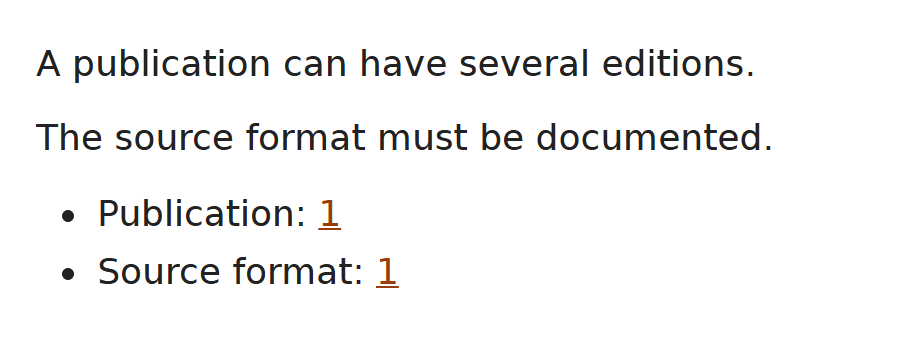
Without the filter, no index is created. Even with it, there is only a simple alphabetical link index, no printed page numbers, subentries or "see also" relationships. The example shows the difference between syntactically storable attributes and an actually implemented publishing function. A comprehensive index model requires more than this demonstration.
Example 49: Target group variants with filter logic
Pandoc Markdown + audience.lua
Here, too, target group control is a separate convention. The metadata value audience determines which classified blocks the filter retains. The public output contains the first message, not the internal ticket number. The build explicitly checks for the absence of the internal text.
SOURCE
---
audience: public
---

::: {.audience only="public"}
The release is available to readers.
:::

::: {.audience only="internal"}
The internal review ticket is REF-42.
:::
RENDERED RESULT

Simply hiding it via CSS would not be an appropriate solution because the text would still remain in the file. For confidential content, even this small demonstration profile is not sufficient as a security concept. Before productive delivery, references, metadata, attachment files and all alternative outputs must be checked for unintended information.
The more classes, attributes and filters a project requires, the more important profile description, version management and test coverage become. The simplicity of the file format does not eliminate the modelling work. It shifts part of it into conventions and program code. This decision can be sensible, but it should be made deliberately.