Technologies XML / XSL-FO / Référence / Extensions XSL d’Antenna House Formatter / Propriétés / crop-offset-left
(Extrait de « XSL-FO ― Die Referenz » de Manuel Montero Pineda & Steffen Herkert, 2016, dpunkt.verlag)
A | B | C | D | E | F | G | H | I | J | K | L | M | N | O | P | Q | R | S | T | U | V | W | X | Y | Z
Catégorie Repères d’impression
Définit la distance entre le bord physique et le format de coupe du support de sortie. [no-LT]
Valeur : | <length> |
Valeur initiale : | 0pt |
S’applique à : | |
Hérité : | no |
Pourcentages : | N/A |
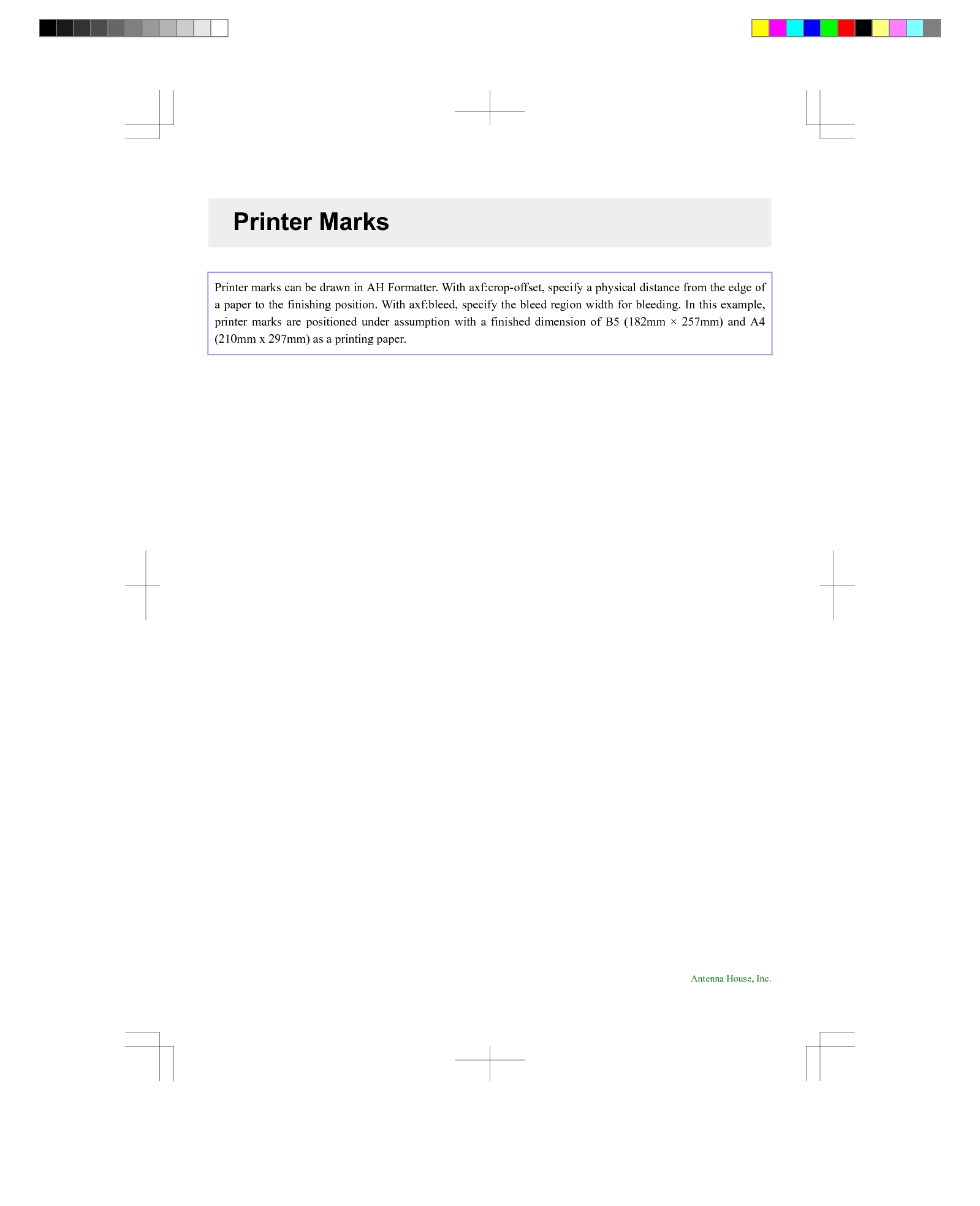
Le format de coupe est défini par les propriétés page-width et page-height (propriété CSS size). crop-offset définit la quantité d’espace réservée à l’extérieur du format de coupe. Pour spécifier les mêmes valeurs verticalement et horizontalement, axf:crop-offset peut être utilisé. Pour spécifier des valeurs individuelles, axf:crop-offset-top, axf:crop-offset-bottom, axf:crop-offset-left, et axf:crop-offset-right peuvent être utilisés. Si axf:crop-offset et d’autres propriétés sont spécifiés simultanément, les propriétés individuelles axf:crop-offset-* sont prioritaires.
Ces propriétés ne sont pas disponibles avec AH Formatter V6.3 Lite.
Exemple XSL-FO :
<fo:root xml:lang="en" xmlns:fo="http://www.w3.org/1999/XSL/Format" xmlns:cpfo="http://www.compart.net/xmlns/cpfo" xmlns:svg="http://www.w3.org/2000/svg" xmlns:axf="http://www.antennahouse.com/names/XSL/Extensions">
<axf:document-info name="document-title" value="Printer Marks"/>
<axf:document-info name="author" value="Antenna House, Inc."/>
<fo:layout-master-set>
<fo:simple-page-master page-height="257mm" page-width="182mm" margin-top="10mm" margin-left="10mm" margin-right="10mm" margin-bottom="10mm" master-name="PageMaster1" axf:printer-marks="crop cross url(img/colorbar.svg)" axf:printer-marks-line-width="0.25pt" axf:crop-offset-top="40mm" axf:crop-offset-bottom="50mm" axf:crop-offset-left="50mm" axf:crop-offset-right="50mm" axf:bleed="4mm">
<fo:region-after extent="7mm"/>
<fo:region-body margin-top="0mm" margin-left="0mm" margin-right="0mm" margin-bottom="10mm"/>
</fo:simple-page-master>
</fo:layout-master-set>
<fo:page-sequence master-reference="PageMaster1">
<fo:static-content flow-name="xsl-region-after">
<fo:block font-size="0.8em" text-align="right" color="green">
<fo:basic-link external-destination="http://www.antennahouse.com/">
Antenna House, Inc.
</fo:basic-link>
</fo:block>
</fo:static-content>
<fo:flow flow-name="xsl-region-body" font-family="serif" font-size="1em" line-height="1.4" axf:hyphenate-hyphenated-word="false" hyphenate="true">
<fo:block span="all" font-family="sans-serif" font-size="2em" font-weight="bold" line-height="2" space-before="1em" space-after="1em" space-before.conditionality="retain" space-after.conditionality="retain" background-color="#EEEEEE">
<fo:block start-indent="1em" end-indent="1em">
Printer Marks
</fo:block>
</fo:block>
<fo:block span="all" space-before="1em" space-after="1em" space-after.conditionality="retain" text-indent="0em" border="1pt solid #9999FF" start-indent="0.5em" end-indent="0.5em" padding="0.5em" text-align="justify">
Printer marks can be drawn in AH Formatter. With axf:crop-offset, specify a physical distance from the edge of a paper to the finishing position. With axf:bleed, specify the bleed region width for bleeding.
In this example, printer marks are positioned under assumption with a finished dimension of B5 (182mm × 257mm) and A4 (210mm x 297mm) as a printing paper.

</fo:block>
</fo:flow>
</fo:page-sequence>
</fo:root>Résultat :