Technologies XML / XSL-FO / Référence / Extensions XSL d’Antenna House Formatter / Propriétés / printer-marks-line-width
(Extrait de « XSL-FO ― Die Referenz » de Manuel Montero Pineda & Steffen Herkert, 2016, dpunkt.verlag)
A | B | C | D | E | F | G | H | I | J | K | L | M | N | O | P | Q | R | S | T | U | V | W | X | Y | Z
Catégorie Repères d’impression
Définit l’épaisseur des traits des repères d’impression. [no-LT]
Valeur : | <length> | auto |
Valeur initiale : | auto |
S’applique à : | |
Hérité : | no |
Pourcentages : | N/A |
Avec auto, l’épaisseur dépend des réglages du système. Elle vaut 0.24pt par défaut et peut être ajustée dans le fichier de configuration des options.
Cette propriété n’est pas disponible dans AH Formatter V6.3 Lite.
Exemple XSL-FO :
<fo:root xml:lang="en" xmlns:fo="http://www.w3.org/1999/XSL/Format" xmlns:cpfo="http://www.compart.net/xmlns/cpfo" xmlns:svg="http://www.w3.org/2000/svg" xmlns:axf="http://www.antennahouse.com/names/XSL/Extensions">
<axf:document-info name="document-title" value="Printer Marks"/>
<axf:document-info name="author" value="Antenna House, Inc."/>
<fo:layout-master-set>
<fo:simple-page-master page-height="257mm" page-width="182mm" margin-top="10mm" margin-left="10mm" margin-right="10mm" margin-bottom="10mm" master-name="PageMaster1" axf:printer-marks="crop cross url(img/colorbar.svg)" axf:printer-marks-line-width="0.25pt" axf:crop-offset="20mm 14mm 20mm 14mm" axf:bleed="4mm">
<fo:region-after extent="7mm"/>
<fo:region-body margin-top="0mm" margin-left="0mm" margin-right="0mm" margin-bottom="10mm"/>
</fo:simple-page-master>
</fo:layout-master-set>
<fo:page-sequence master-reference="PageMaster1">
<fo:static-content flow-name="xsl-region-after">
<fo:block font-size="0.8em" text-align="right" color="green">
<fo:basic-link external-destination="http://www.antennahouse.com/">
Antenna House, Inc.
</fo:basic-link>
</fo:block>
</fo:static-content>
<fo:flow flow-name="xsl-region-body" font-family="serif" font-size="1em" line-height="1.4" axf:hyphenate-hyphenated-word="false" hyphenate="true">
<fo:block span="all" font-family="sans-serif" font-size="2em" font-weight="bold" line-height="2" space-before="1em" space-after="1em" space-before.conditionality="retain" space-after.conditionality="retain" background-color="#EEEEEE">
<fo:block start-indent="1em" end-indent="1em">
Printer Marks
</fo:block>
</fo:block>
<fo:block span="all" space-before="1em" space-after="1em" space-after.conditionality="retain" text-indent="0em" border="1pt solid #9999FF" start-indent="0.5em" end-indent="0.5em" padding="0.5em" text-align="justify">
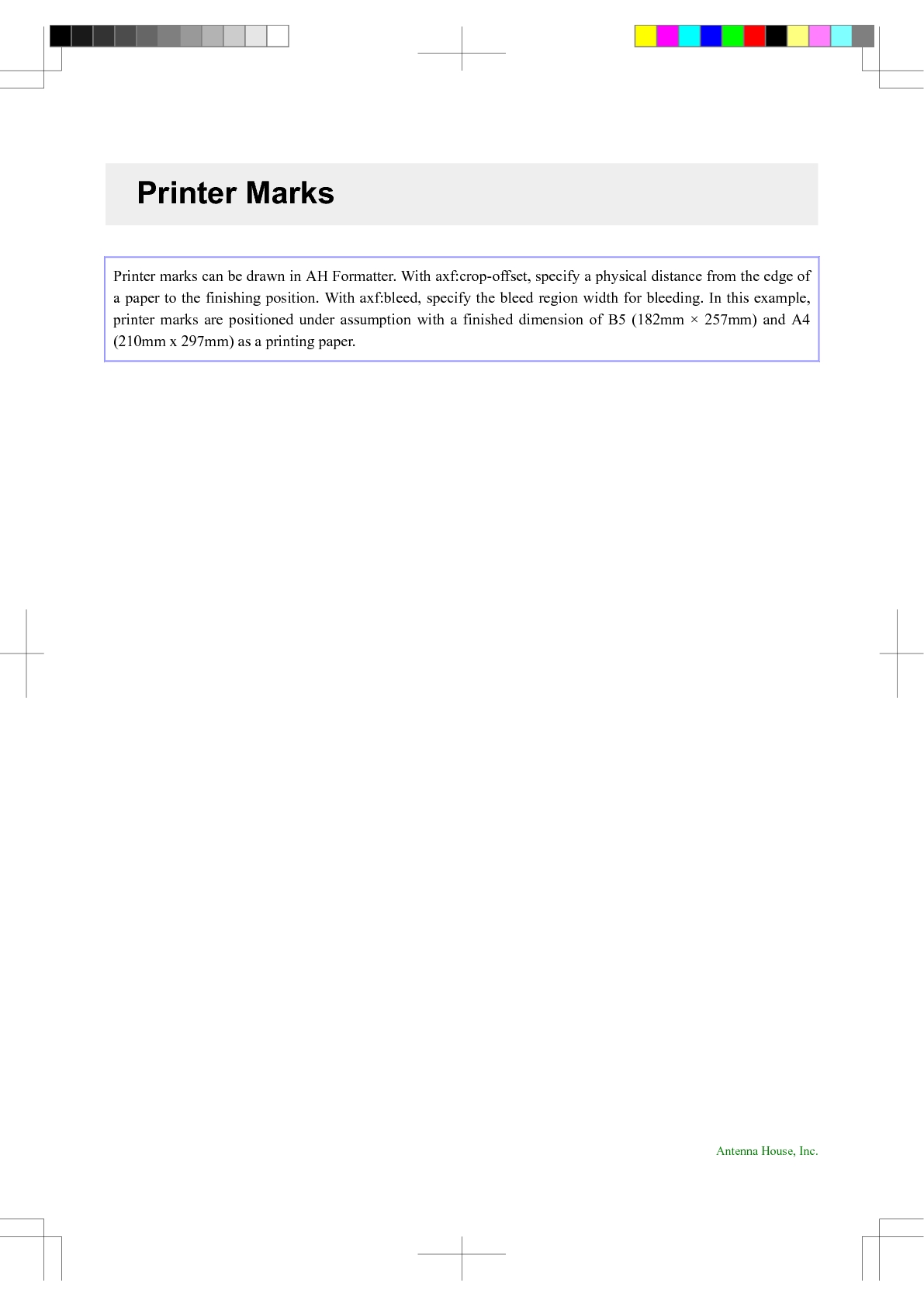
Printer marks can be drawn in AH Formatter. With axf:crop-offset, specify a physical distance from the edge of a paper to the finishing position. With axf:bleed, specify the bleed region width for bleeding.
In this example, printer marks are positioned under assumption with a finished dimension of B5 (182mm × 257mm) and A4 (210mm x 297mm) as a printing paper.

</fo:block>
</fo:flow>
</fo:page-sequence>
</fo:root>Résultat :