Tecnologías XML / XSL-FO / Referencia / Extensiones XSL de Antenna House Formatter / Propiedades / hyphenate-hyphenated-word
(Extracto de «XSL-FO ― Die Referenz» de Manuel Montero Pineda & Steffen Herkert, 2016, dpunkt.verlag)
A | B | C | D | E | F | G | H | I | J | K | L | M | N | O | P | Q | R | S | T | U | V | W | X | Y | Z
Categoría Extensiones de partición de palabras
Especifica si se debe dividir una palabra que ya contiene un guion.
Valor: | true | false |
Valor inicial: | true |
Se aplica a: | |
Heredado: | yes |
Porcentajes: | N/A |
Los valores tienen los significados siguientes.
true | Permite la partición de la palabra. |
false | No permite la partición de la palabra. La línea solo puede dividirse en la posición del guion. |
Los siguientes caracteres se reconocen como guiones.
U+002D | HYPHEN-MINUS |
U+00AD | SOFT HYPHEN |
U+2010 | HYPHEN |
U+2011 | NON-BREAKING HYPHEN |
Este ajuste no es válido cuando se especifica hyphenate="false".
Ejemplo XSL-FO:
<fo:root xml:lang="en" xmlns:fo="http://www.w3.org/1999/XSL/Format" xmlns:cpfo="http://www.compart.net/xmlns/cpfo" xmlns:svg="http://www.w3.org/2000/svg" xmlns:axf="http://www.antennahouse.com/names/XSL/Extensions">
<axf:document-info name="document-title" value="Writing dorection in vertical mode"/>
<axf:document-info name="author" value="Antenna House, Inc."/>
<fo:layout-master-set>
<fo:simple-page-master page-height="297mm" page-width="210mm" margin-top="10mm" margin-left="20mm" margin-right="20mm" margin-bottom="10mm" master-name="PageMaster-1-tate">
<fo:region-before extent="15mm"/>
<fo:region-after extent="15mm"/>
<fo:region-body margin-top="15mm" margin-left="0mm" margin-right="0mm" margin-bottom="15mm" writing-mode="tb-rl"/>
</fo:simple-page-master>
<fo:simple-page-master page-height="297mm" page-width="210mm" margin-top="10mm" margin-left="20mm" margin-right="20mm" margin-bottom="10mm" master-name="PageMaster-2">
<fo:region-before extent="15mm"/>
<fo:region-after extent="15mm"/>
<fo:region-body margin-top="0mm" margin-left="0mm" margin-right="0mm" margin-bottom="0mm"/>
</fo:simple-page-master>
</fo:layout-master-set>
<fo:page-sequence writing-mode="from-page-master-region()" master-reference="PageMaster-1-tate">
<fo:static-content flow-name="xsl-region-after">
<fo:block font-size="0.8em" text-align="right" color="green">
<fo:basic-link external-destination="http://www.antennahouse.com/">
Antenna House, Inc.
</fo:basic-link>
</fo:block>
</fo:static-content>
<fo:flow flow-name="xsl-region-body" font-family="serif" font-size="1em" line-height="1.4" axf:hyphenate-hyphenated-word="false" hyphenate="true">
<fo:block span="all" font-family="sans-serif" font-size="2em" font-weight="bold" line-height="2" space-before="1em" space-after="1em" space-before.conditionality="retain" space-after.conditionality="retain" background-color="#EEEEEE">
<fo:block start-indent="1em" end-indent="1em">
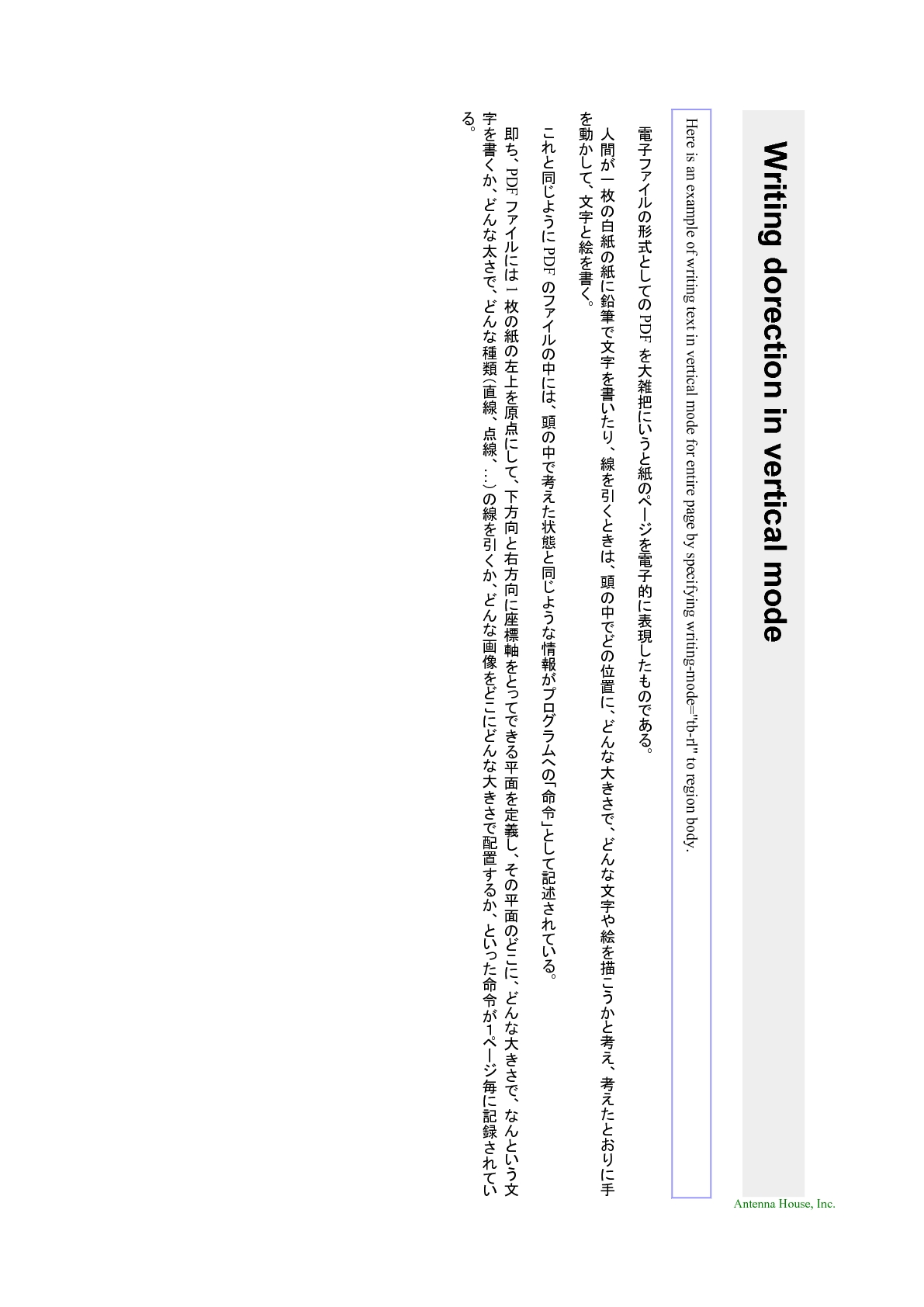
Writing dorection in vertical mode
</fo:block>
</fo:block>
<fo:block span="all" space-before="1em" space-after="1em" space-after.conditionality="retain" text-indent="0em" border="1pt solid #9999FF" start-indent="0.5em" end-indent="0.5em" padding="0.5em" text-align="justify">

Here is an example of writing text in vertical mode for entire page by specifying writing-mode="tb-rl" to region body.
</fo:block>
<fo:block text-align="justify" xml:lang="ja">
<fo:block space-before="1em" text-indent="1em">
電子ファイルの形式としてのPDFを大雑把にいうと紙のページを電子的に表現したものである。
</fo:block>
<fo:block space-before="1em" text-indent="1em">
人間が一枚の白紙の紙に鉛筆で文字を書いたり、線を引くときは、頭の中でどの位置に、どんな大きさで、どんな文字や絵を描こうかと考え、考えたとおりに手を動かして、文字と絵を書く。
</fo:block>
<fo:block space-before="1em" text-indent="1em">
これと同じようにPDF のファイルの中には、頭の中で考えた状態と同じような情報がプログラムへの「命令」として記述されている。
</fo:block>
<fo:block space-before="1em" text-indent="1em">
即ち、PDFファイルには1 枚の紙の左上を原点にして、下方向と右方向に座標軸をとってできる平面を定義し、その平面のどこに、どんな大きさで、なんという文字を書くか、どんな太さで、どんな種類(直線、点線、…)の線を引くか、どんな画像をどこにどんな大きさで配置するか、といった命令が1ページ毎に記録されている。
</fo:block>
</fo:block>
</fo:flow>
</fo:page-sequence>
<fo:page-sequence master-reference="PageMaster-2">
<fo:static-content flow-name="xsl-region-after">
<fo:block font-size="0.8em" text-align="right" color="green">
<fo:basic-link external-destination="http://www.antennahouse.com/">
Antenna House, Inc.
</fo:basic-link>
</fo:block>
</fo:static-content>
<fo:flow flow-name="xsl-region-body" font-family="serif" font-size="1em" line-height="1.4" axf:hyphenate-hyphenated-word="false" hyphenate="true">
<fo:block span="all" font-family="sans-serif" font-size="2em" font-weight="bold" line-height="2" space-before="1em" space-after="1em" space-before.conditionality="retain" space-after.conditionality="retain" background-color="#EEEEEE">
<fo:block start-indent="1em" end-indent="1em">
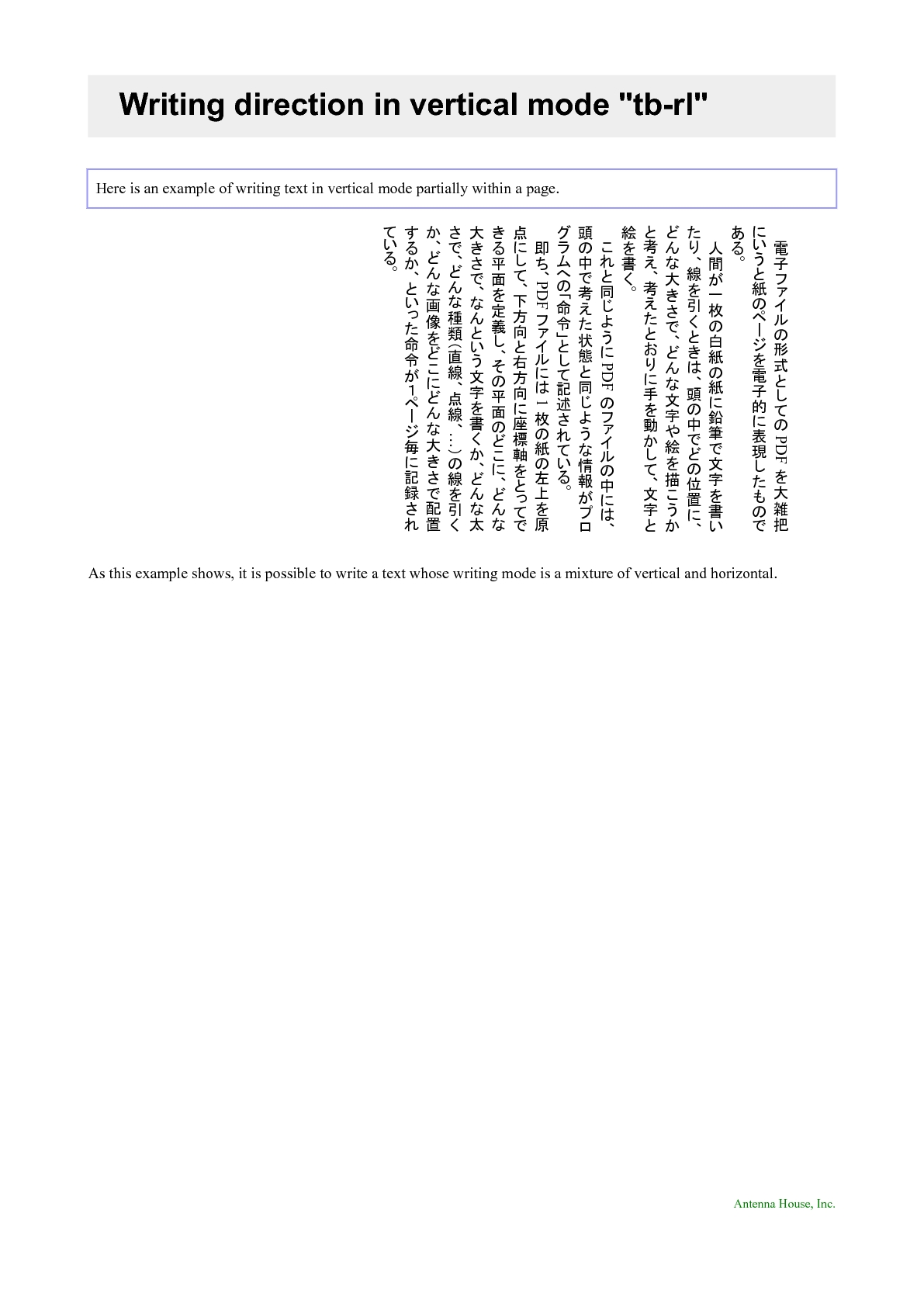
Writing direction in vertical mode "tb-rl"
</fo:block>
</fo:block>
<fo:block span="all" space-before="1em" space-after="1em" space-after.conditionality="retain" text-indent="0em" border="1pt solid #9999FF" start-indent="0.5em" end-indent="0.5em" padding="0.5em" text-align="justify">
Here is an example of writing text in vertical mode partially within a page.
</fo:block>
<fo:block-container space-before="2em" writing-mode="tb-rl" width="160mm" height="70mm" text-indent="1em" text-align="justify" xml:lang="ja">
<fo:block>
電子ファイルの形式としてのPDFを大雑把にいうと紙のページを電子的に表現したものである。
</fo:block>
<fo:block>
人間が一枚の白紙の紙に鉛筆で文字を書いたり、線を引くときは、頭の中でどの位置に、どんな大きさで、どんな文字や絵を描こうかと考え、考えたとおりに手を動かして、文字と絵を書く。
</fo:block>
<fo:block>
これと同じようにPDF のファイルの中には、頭の中で考えた状態と同じような情報がプログラムへの「命令」として記述されている。
</fo:block>
<fo:block>
即ち、PDFファイルには1 枚の紙の左上を原点にして、下方向と右方向に座標軸をとってできる平面を定義し、その平面のどこに、どんな大きさで、なんという文字を書くか、どんな太さで、どんな種類(直線、点線、…)の線を引くか、どんな画像をどこにどんな大きさで配置するか、といった命令が1ページ毎に記録されている。
</fo:block>
</fo:block-container>
<fo:block space-before="2em">
As this example shows, it is possible to write a text whose writing mode is a mixture of vertical and horizontal.
</fo:block>
</fo:flow>
</fo:page-sequence>
</fo:root>Resultado:
página 2